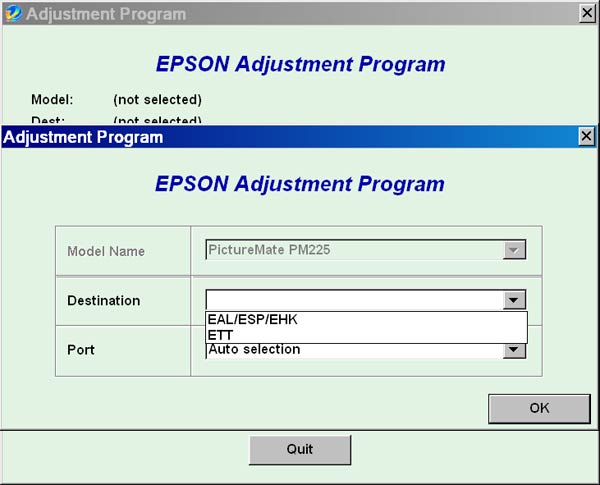
Epson PictureMate PM225 Service Adjustment Program

$9.95
Epson <b>PictureMate PM225</b> Service Adjustment Program
   Click to enlarge
      

The Epson Adjustment Program for Epson PictureMate PM225 can be used under Windows only (Millenium, 2000, XP, Vista [in compatibility mode]).

To find out how to use this utility to reset the waste ink counter we recommend reading the:
5 Clicks Reset Procedure

To get this adjustment program, for the Epson PictureMate PM225 you need to do the following:

  1. Purchase the utility from 2manuals.com.
  2. You'll get download link on-line and in the email message.

We recommend reading the Epson PictureMate PM225 Service Manual before using the adjustment utility.

Please contact us if you have not received your order.

You can run this program under Windows XP, Windows Vista, Windows 7 in compatibility mode. It is easy!

Lets get to know how to set it up.

To configure the compatibility mode for an application, just locate the installation directory and right click on the .exe file (program you want to run), selecting Properties from the menu.

Select the Compatibility tab:


Windows 7 compatibility mode


FOR THIS PROGRAM please use the WINDOWS XP compatibility mode!!!


Download the program and run in compatibility mode!

I want to:

Any questions about this product?

SEND US REQUEST by filling the form below.


Step 1
ADD TO CART
Step 2
CHECKOUT
Select payment method.
Step 3
Confirm the order.


We are in business since 2002 and do our best to give our customers perfect service!

Our customers reviews:

  abdul kabir hakimi 2015-04-21 09:37:12  
  thanks from 2manuals supporting site to solve our problems...
  Ian Jones 2012-08-11 17:15:25  
  This is my second purchase today, for the same utility. Purchased under \"ian@cinnamoncafe.com\", had no end of problems. Once I paid the system did not let me in. Tried to change the password and it sent me 3 updates to the correct address, then informed me that the e-mail and password where both incorrect. Still have no joy. Decided to register again at ian@jonesi.demon.co.uk, and everything worked smoothly!
  edu col 2006-12-16 12:50:56  
  Dear Mr. eval program thanks Eduin Col
  Gustavo Martinez 2017-01-21 13:05:47  
  thank You Very Much For This File ... its help me so much with my printer
  fena can 2011-02-06 15:02:51  
  Very prompt and easy service. I did it by myself in 3 min! You have saved me my money/ Thnx.
  Luis Ivan Martinez 2013-10-23 05:23:28  
  Your product worked like a dream. I have been having a horrible problem using ideas from other sources and your solution worked immediately and fast! Excellent program, you save my wallet and time...!!! Epson Artisan 810
  hoang liem nguyen 2010-07-15 20:16:15  
  Do you have EPSON ME OFFICE 1100 adjustment program? If yes, the price?
  rdlaw law 2023-01-19 22:37:39  
  It was best $10 I ever paid in my life!!!
Write review