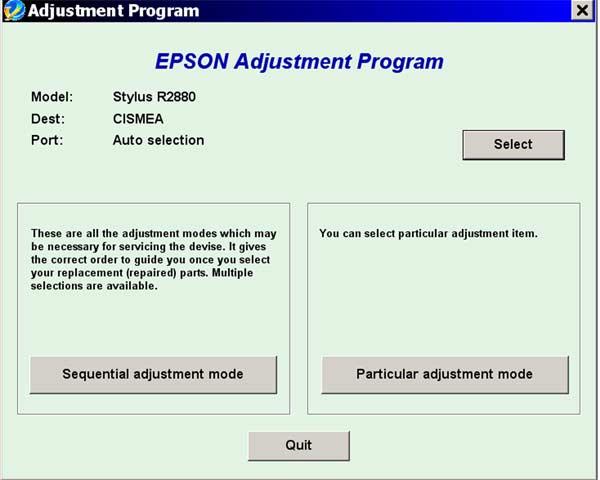
Epson R2880 Service Adjustment Program

$9.99
Epson <b>R2880</b> Service Adjustment Program
   Click to enlarge
      

Epson Photo R2880 ADJUSTMENT PROGRAM (EAL/ESP/ETT/EHK/ECC) Ver.1.0.3

This adjustment program is developed for making printers adjustments and maintenance such as:

Adjustment
- EEPROM Data Copy
- Initial Setting
- Initialize PF deterioration offset
- Disable PF deterioration offset
- Head ID input
- Ink mark sensor adjustment
- Auto Bi-d adjustment
- Bi-D adjustment
- Head angular adjustment
- PF adjustment
- PW adjustment
- CR motor heat protection control
- First dot position adjustment

Maintenance
- Head cleaning
- Ink charge
- Shipping setting
- High Voltage Module Inspection
- CD-R check pattern print
- Final check pattern print
- EEPROM dump
- Printer information check
- Paper feed test

This adjustment program DOESN'T HAVE such functions as:
- Waste Ink Counters Reset function
- EEPROM Data Copy
- Initial Setting


If You need Waste Ink Counters reset - please use the WIC Reset Utility - Download here

To get this adjustment program, for the Epson R2880 you need to do the following:

  1. Purchase the utility from 2manuals.com.
  2. You'll get download link on-line and in the email message.

We recommend reading the Epson R2880 Service Manual before using the adjustment utility.

Please contact us if you have not received your order.

You can run this program under Windows XP, Windows 7, 8, 10.

I want to:

Any questions about this product?

SEND US REQUEST by filling the form below.


Step 1
ADD TO CART
Step 2
CHECKOUT
Select payment method.
Step 3
Confirm the order.


We are in business since 2002 and do our best to give our customers perfect service!

Our customers reviews:

  Luciano Brondino 2009-11-13 22:26:49  
  ok
  Andr1212 Sam 2009-08-29 12:14:11  
  I ordered from you the service manual for my R2880 printer which showed me that I needed the adjustment program which I also ordered and now my printer operates correctly again!!! Thanks
  pierre commenge 2011-06-08 14:51:41  
  it does not work, can not recognize ink cartridges always displayed, Epson SX400 ========== REPLY ============== The WIC reset utility can reset Waste Ink Counters only. Not Ink cartrigs levels in SX400. You can use auto reset chps to reset the ink levels.
  jon barrios 2022-02-17 17:16:38  
  The best $10 I ever spent! Thank you it worked perfect.
  Alfredo Llerena 2020-02-20 17:11:29  
  I must admit I was very skeptical about all this !!! And above all - There we go, they want the Credit Card details !!!

I don't even know the current exchange rate but proceeded thinking nothing will come of this ....

Within minutes I was sent the RESET CODE along with the RECEIPT FOR PAYMENT !

It worked like a charm !

The FIRST , but definitely not the LAST time I will be using this site !

Thank you !
Anthony Campbell
Printamedic (South Africa)
Cell: 073 580 8517
  Jean-Louis Boulin 2020-08-03 18:51:10  
  Good job THX ! My Epson ET-2550 working again Best regards
  yimer tellez 2011-05-17 23:10:05  
  nesecito la clave para resetear la epson stylus tx 600fw por favor colaborenme gracias por su atencion prestada
  WILSON ALVARADO 2012-11-28 23:44:16  
  EPSON TX133 KEY PARA RESET DE PRINT URGENTE, PARA ASI PODER TRABAJAR Y BRINDAR SERVICIOS A MIS CLIENTES
  Elizabeth McLain 2020-02-24 00:13:12  
  Absolute lifesaver. Saved me about $100 and 2 hours driving.
Write review