

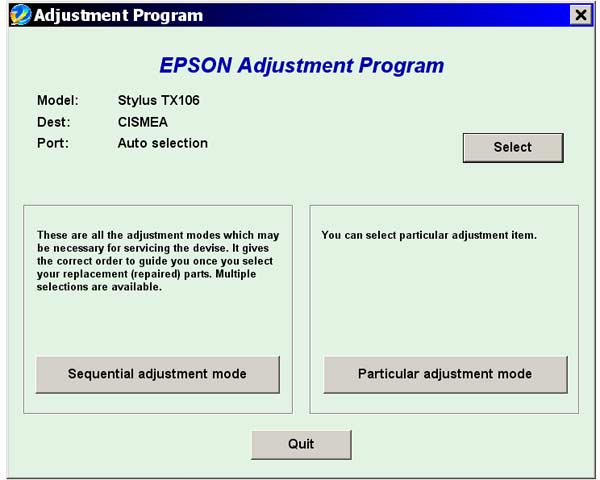
Epson TX106 Service Adjustment Program

$9.99
Epson <b>TX106</b> Service Adjustment Program
   Click to enlarge
      

The Epson Adjustment Program for Epson TX106 can be used under Windows only (Millenium, 2000, XP, Vista [in compatibility mode]).

To get this adjustment program, for the Epson TX106 you need to do the following:

  1. Purchase the utility from 2manuals.com.
  2. You'll get download link on-line and in the email message too
We recommend reading the Epson TX106 Service Manual before using the adjustment utility.

Please contact us if you have not received your order.

I want to:

Any questions about this product?

SEND US REQUEST by filling the form below.


Step 1
ADD TO CART
Step 2
CHECKOUT
Select payment method.
Step 3
Confirm the order.


We are in business since 2002 and do our best to give our customers perfect service!

Our customers reviews:

  allaoua melouk 2010-07-13 06:43:26  
  You are magic man. I have downloaded adjustment program and resetted the waste ink counter. Thank you so much for prompt service!
  fouzi fouzi 2010-04-24 03:13:02  
  Thank you. for the program. It worked on TX106 printer. Reset waste ink counter in few minutes. Not go to epson customer service. Good.
  Jhazmin Raya 2020-08-18 20:35:17  
  I have modified the firmware of an Epson wf3620 with the firmware key to make the printer run with chipless ink cartridges. The instructions were clear but must be followed exactly in order for the process to be successful. I am very happy with the result as I have the freedom to use oem ink or not depending on my needs. No oem cartridges now work perfectly well. Well done wic utility people. regds, Peter.
  bruno andrade 2008-02-20 08:44:45  
  This is good
  Jeff Carbone 2019-05-01 09:36:34  
  I love printing hard copies of material to review. I bought an Epson EcoTank 2650 for the single purpose of never having to worry about how much I have to print.

When I found out about the ink pad and how it basically “fills up” and prevents you from printing, I was pretty pissed off.

I called a service center in my state in the US and they wanted $110 to replace the ink pad and reset it. I searched hard for a solution and when I found this I was really sure this was a scam.

I tried it from one of your affiliates (octoinkjets) and did the trial to reset it to 90% and it worked.

Thank god you guys have this tool. I bought a key for $10 and was done with it. Watched a video on how to clean the ink pads and it was super easy. Now I have a new printer basically.

I can’t believe Epson gets away with this crap. You guys rock!
It really took a leap of faith to try this.
  Myka Baum 2019-11-01 23:15:10  
  Amazing, Thank you so much i have my printer back very easy to install and my printer was up and running again in a matter of minutes, so glad i took it out the rubbish bin
  thammasan jitpradubchoke 2011-07-04 02:57:11  
  good product and great software thank you for develope this software can help me alot for use printer with ink tank
  tom tannenberger 2003-12-13 07:25:09  
  I figured it out. I ended up purchasing the LJ 1100 manual. I just used a different email address and it worked fine. Btw, the service manual helped me out tremendously! It paid for itself easily. I will definitely be using your service manuals again in the future. Thanks,
   2013-12-05 11:44:10  
  Holy crap this is a lifesaver / money saver / mental breakdown saver and just an amazing product. I was on the verge or completing my order for a new printer when I came across this site. Why spend $200. for a new printer when $10. can breathe new life into my old Epson Artisan 835 with CISS. I'm good to go now, just have to get a waste ink system installed and I'm back in business. Thanks.
Write review



