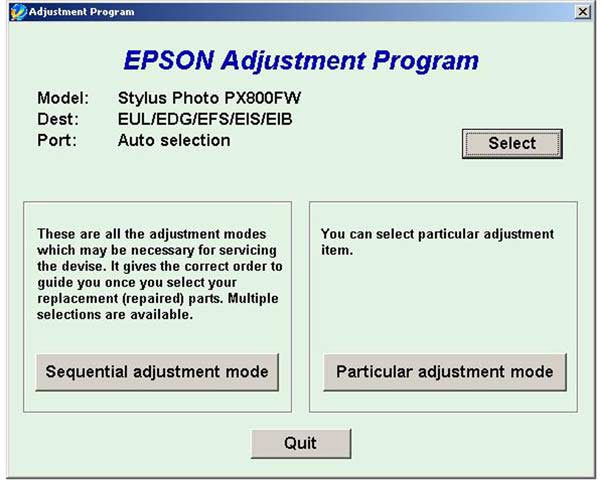
Epson PX800FW Service Adjustment Program

$9.99
Epson <b>PX800FW</b> Service Adjustment Program
   Click to enlarge
      

The Epson Adjustment Program for Epson PX800FW can be used under Windows only (Millenium, 2000, XP, Vista [in compatibility mode]).

To get this adjustment program, for the Epson PX800FW you need to do the following:

  1. Purchase the utility from 2manuals.com.
  2. You'll get download link on-line and in the email message too
We recommend reading the Epson PX800FW Service Manual before using the adjustment utility.

Please contact us if you have not received your order.

You can run this program under Windows XP, Windows Vista, Windows 7 in compatibility mode. It is easy!

Lets get to know how to set it up.

To configure the compatibility mode for an application, just locate the installation directory and right click on the .exe file (program you want to run), selecting Properties from the menu.

Select the Compatibility tab:


Windows 7 compatibility mode


You can choose to run the program in Windows XP compatibility mode.

FOR THIS PROGRAM please use the WINDOWS XP compatibility mode!!!


Download the program and run in compatibility mode!

I want to:

Any questions about this product?

SEND US REQUEST by filling the form below.


Step 1
ADD TO CART
Step 2
CHECKOUT
Select payment method.
Step 3
Confirm the order.


We are in business since 2002 and do our best to give our customers perfect service!

Our customers reviews:

  Kevin McCammon 2009-12-29 21:58:39  
  Thanks man, works excellent service will recommened for anyone !!!
  Torsten Becker 2017-03-09 19:12:37  
  Is this Adjustment program compatible with the USA Destination? Initial setting was designed for 127 cartridge? Thank you.
  Bonnie Richard 2025-04-20 10:32:28  
  Thank you so much. Purchased key followed instructions for reset everything working fine except cannot get ink flowing. Have used cleaner twice, nozzel clean, purge, still not working. Any suggestions? ET-2760
  Naser Khalil 2018-02-26 09:27:43  
  Dear Sir, I need this Service Manual for D3000 and i couldn't fine away how to add this to my shopping card. please Advice.
  Peter Maroudas 2020-06-15 06:24:37  
  My Artisan 837 just tried to hose me with the waste ink pad error. The printer was working just fine then bam. I bit the bullet and bought this utility and it worked GREAT. Reset the ink pad error and all is well. Best $10 I've spent in a LONG time. Epson deliberately tried to end the printer life for NO REASON... cept to sell more printers. Do NOT let them get away with it. I'm sure eventually this thing will start printing poorly and THEN I'll buy another one....but until then Epson can....... etc..etc.
  George Bryan 2011-01-10 11:05:33  
  The reset key ffor my Epson 415 worked perfectly first time, well done
Write review