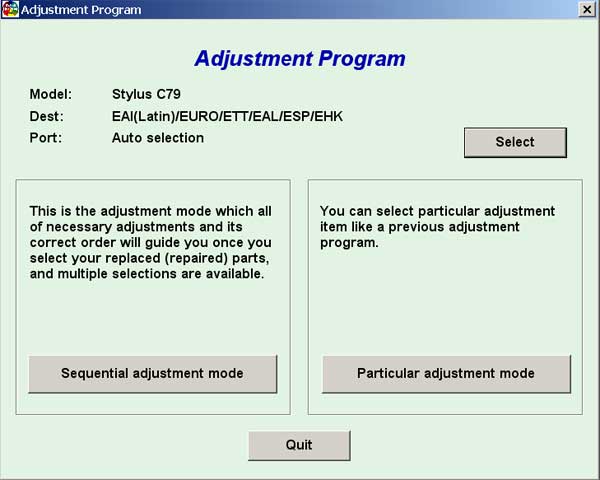
Epson C79 Service Adjustment Program

$9.99
Epson C79 Service Adjustment Program
   Click to enlarge
      

EPSON Stylus C79 Service Adjustment Program.

Under Windows XP only.

To learn more about service program functions go to About Adjustment Programs (in the right column)

Please unzip by WinZip after downloading. Then READ carefuly README file with instructions.

File size - 1 479 kB

You can run this program under Windows XP, Windows Vista, Windows 7 in compatibility mode. It is easy!

Lets get to know how to set it up.

To configure the compatibility mode for an application, just locate the installation directory and right click on the .exe file (program you want to run), selecting Properties from the menu.

Select the Compatibility tab:


Windows 7 compatibility mode


You can choose to run the program in Windows 95, Windows 98 or Windows XP compatibility mode.

FOR THIS PROGRAM please use the WINDOWS XP compatibility mode!!!


Download the program and run in compatibility mode!

I want to:

Any questions about this product?

SEND US REQUEST by filling the form below.


Step 1
ADD TO CART
Step 2
CHECKOUT
Select payment method.
Step 3
Confirm the order.


We are in business since 2002 and do our best to give our customers perfect service!

Our customers reviews:

  nando pires 2010-01-19 00:42:39  
  Thak you. Now working printer.
  nando pires 2010-01-19 00:40:28  
  Good site. Good program!
  Art Fix 2011-06-06 09:34:43  
  My Epson 1280 started getting the dreaded flashing panel lights. The printer quit working all together. I found on the web, that the cause was the ink waste counter had topped out and the printer required service to reset the counter. Then I found this site and downloaded the manual and the service application. Ran the program and quickly reset the counter now all is well again! Worked like a dream. Thank you! Art @ artsgraphics.com
  josue montoya 2017-02-12 16:51:56  
  Epson Stylus DX4400 is not supported, and it seem to be impossible to reset the waste counter.

=========================================
You have to use Epson DX4400 Service Program - search in our site
  Georgia Dippel 2016-12-07 21:59:08  
  My Epson R260 quit working- read up online what the cause was (counters in printer). I downloaded the WIC Utility package and sure enough the counter was at 100.70%. I downloaded the Reset Key- at first it didn't work. Turned the printer off & on as instructed. Still didn't work. Finally I turned the monitoring on- reset the printer. Then turned monitoring off again and reset the printer & it finally worked. I think the monitoring just got hung up somehow- computers!!! I'm very thankful I'm good for another few years. It only cost $9.99 instead of the price of buying another printer (and I have all these ink cartridges that would go to waste)- OR a repair bill & would be without it while being fixed. Would I buy another Epson printer- NO- but would I recommend 2manuals for the fix- Definitely.
  borges bicolor 2007-11-19 07:40:28  
  Give me ASAP!
  Ignacio Lucatero 2020-12-06 16:45:37  
  Trial for my 1500w worked a treat. So simple to use.
  Galina Pas 2024-01-29 10:49:21  
  Изключително съм доволна, за една минута се възстанови всичко. Много благодаря !
  kin thil 2007-02-08 19:44:43  
  I have reset the waste ink in my epson R230 printer. Worked fine
Write review