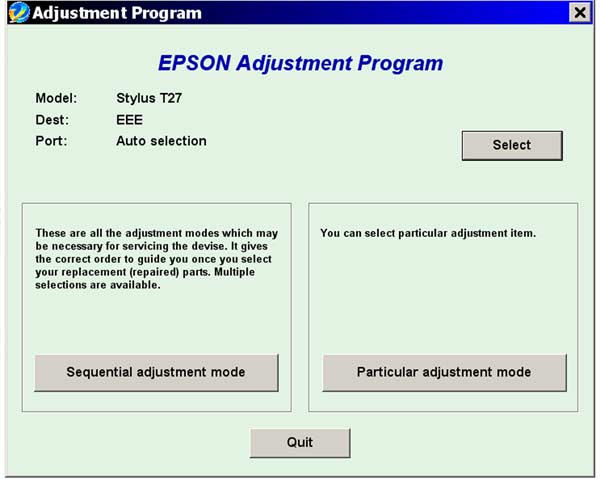
Epson T27 Service Adjustment Program

$9.99
Epson <b>T27</b> Service Adjustment Program
   Click to enlarge
      

The Epson Adjustment Program for Epson T27 can be used under Windows only (Millenium, 2000, XP, Vista [in compatibility mode]).

To find out how to use this utility to reset the waste ink counter we recommend reading the:
5 Clicks Reset Procedure

To get this adjustment program, for the Epson T27 you need to do the following:

  1. Purchase the utility from 2manuals.com.
  2. You'll get download link on-line and in the email message.

We recommend reading the Epson T27 Service Manual before using the adjustment utility.

Please contact us if you have not received your order.

You can run this program under Windows XP, Windows Vista, Windows 7 in compatibility mode. It is easy!

Lets get to know how to set it up.

To configure the compatibility mode for an application, just locate the installation directory and right click on the .exe file (program you want to run), selecting Properties from the menu.

Select the Compatibility tab:


Windows 7 compatibility mode


You can choose to run the program in Windows XP compatibility mode.

FOR THIS PROGRAM please use the WINDOWS XP compatibility mode!!!


Download the program and run in compatibility mode!

I want to:

Any questions about this product?

SEND US REQUEST by filling the form below.


Step 1
ADD TO CART
Step 2
CHECKOUT
Select payment method.
Step 3
Confirm the order.


We are in business since 2002 and do our best to give our customers perfect service!

Our customers reviews:

  Sergey Murzin 2010-01-30 10:53:41  
  http://resetters.ru/index.php?showtopic=21585 - здесь можно скачать утилиту для сброса памперса Т27
  maxon byakost 2010-01-26 15:23:41  
  http://www.2manuals.com/product_info.php?products_id=1138
  alejandro carrillo 2009-05-08 21:22:35  
  me pueden ayudar con el reset de CX7700, CX7800 Service
  Alberto Micker 2020-01-07 06:30:15  
  I bought the chipless key code and it worked as it should with the CIS...... Thank you
  Jean Carivenc 2018-08-31 13:47:47  
  I have searched for this SL-D700 Adjustment Program for few years - couldnt find nowhere. Now I get license for this program and reset driver counter. Thank you so much!!!!!!
  Ivan Tilbury 2015-09-08 06:01:35  
  I purchased the epson adjustment program last night and got to work on it today.
I had a clog in C and it would not clear. I ve had my 4900 for over 2 years and have been able to handle them until now.
I learned about this site from another site that has cleaner for the 4900 and said I need to buy this software first. I bought it and tried it with the epson ink that was in my printer. I ran the adjustment and it cleared C but then there were other clogs. Because they werent clogged before I started, I cleared them the normal way through the printers options. Had they not cleared, I would have ran the adjustment again.
I had tried everything to get C to clear for a week and this program did it in one try!

I would highly recommend this for clearing a stubborn clog. And now it is in my arsenal if I get another one that I cant clear down the road. By the way, it does not work if your printer is networked. Mine was so I had to move a computer into the room with my printer, directly connect to it and install the drivers. Then it work fine.
If you got a clog that you cant fix, just buy it.
  Joanne Phanco 2024-10-23 16:30:21  
  Still using an old Epson ET-2550, got a warning that there was a problem with one of the ink pads then within a few days got an error code E-11 which stopped the printer working completely (ink waste collector full and needed a counter reset). Searched for issue and Bootstrappin' on Youtube talked through a fix using WIC Utility. The hardest part of the whole process for me was getting the ink waste collector off the printer and washing out the pads. The WIC Utility was really easy to install and use and has fixed the problem straight away. Wouldn't hesitate to recommend.
Write review