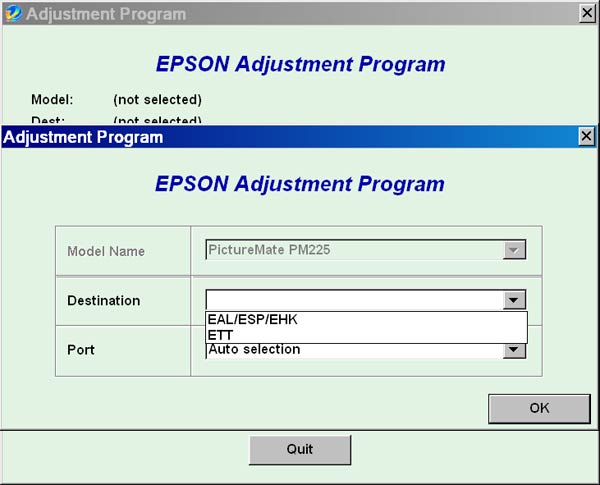
Epson PictureMate PM225 Service Adjustment Program

$9.95
Epson <b>PictureMate PM225</b> Service Adjustment Program
   Click to enlarge
      

The Epson Adjustment Program for Epson PictureMate PM225 can be used under Windows only (Millenium, 2000, XP, Vista [in compatibility mode]).

To find out how to use this utility to reset the waste ink counter we recommend reading the:
5 Clicks Reset Procedure

To get this adjustment program, for the Epson PictureMate PM225 you need to do the following:

  1. Purchase the utility from 2manuals.com.
  2. You'll get download link on-line and in the email message.

We recommend reading the Epson PictureMate PM225 Service Manual before using the adjustment utility.

Please contact us if you have not received your order.

You can run this program under Windows XP, Windows Vista, Windows 7 in compatibility mode. It is easy!

Lets get to know how to set it up.

To configure the compatibility mode for an application, just locate the installation directory and right click on the .exe file (program you want to run), selecting Properties from the menu.

Select the Compatibility tab:


Windows 7 compatibility mode


FOR THIS PROGRAM please use the WINDOWS XP compatibility mode!!!


Download the program and run in compatibility mode!

I want to:

Any questions about this product?

SEND US REQUEST by filling the form below.


Step 1
ADD TO CART
Step 2
CHECKOUT
Select payment method.
Step 3
Confirm the order.


We are in business since 2002 and do our best to give our customers perfect service!

Our customers reviews:

  abdul kabir hakimi 2015-04-21 09:37:12  
  thanks from 2manuals supporting site to solve our problems...
  Peter Sam 2009-08-11 10:29:23  
  YES YOU ARE A GENIOUS THANKS A LOT! THE PROGRAM IS WORKING NOW!
  vitaliy nikiforov 2007-04-18 05:43:16  
  Just wanted to say THANK YOU for info that I found on your website in this manual I thought my printer was dead in the water and your info bailed me out. You saved me a trip to a repair shop and no telling how much $$!
  John Noel 2020-11-09 16:44:24  
  Thank you ! Work perfectly ! Model Epson WF 5620
  Howard Lyttle 2013-09-01 00:45:42  
  I have an epson artisan 710 and using the wic reset couldnt have been easier. I received the reset key almost instantaniously via email and even an idiot could have been able to use it. Excellent service and excellent utility. I would well recommend as it saves an expensive trip to the epson service centre. Well done. Howard Lyttle, UK
  Patrick Blom Bachstein 2016-02-25 19:28:33  
  So had my Epson Pro 4900 disconnected from powersupply for about a month and a half, due to new facilities in my studio. Powered it up, printed a nozzle check, and banged my head against the wall! Only magenta and light cyan did appear, and two broken lines of photo black. Did the Windex trick 5-8 times, and at the 16. nozzlecheck, 9 colours appeared, BUT some actually has got worse, the more Windex the head had.
Preparing myself on making a stronger brew for the cleaning (a lot of Googling and reading!), I came across the Service Program. Reluctant to spill ~ 150 ml of ink, I first moved along (also, the website seemed shady, however, alot of mentions on various foras).

Today I decided \'What the heck, 30 bucks, if it doesn\'t work, I\'ll survive\', so I purchased a license, installed on a laptop (with USB connection instead of network), and chose the option to prime the left channels first - and WOW: EVERY nozzle on that side now fired, and made an (99%) perfect nozzle check. So did the other side, when finished filling the lines again.
So: 5 f*cking huge stars from me! :)
Thank you for this wonderful utility!
Write review