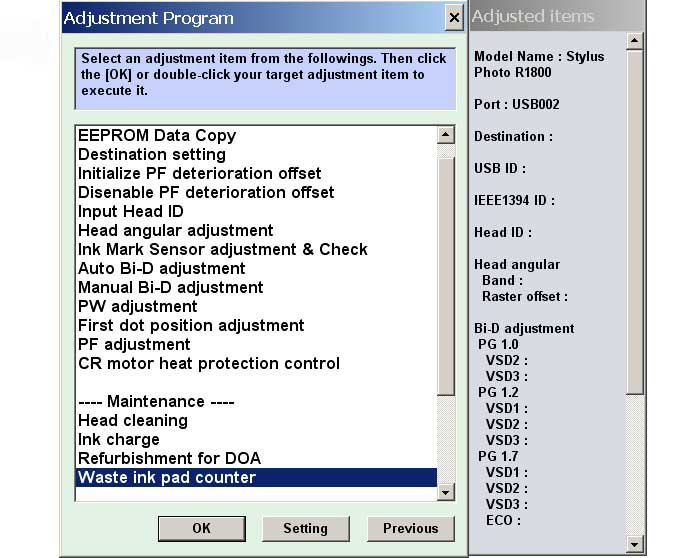
Epson R1800 Printer Service Program

$9.99
Epson R1800 Printer Service Program
   Click to enlarge
      

The Epson Adjustment Program for Epson R1800 can be used under Windows only (Millenium, 2000, XP, Vista [in compatibility mode]).

To find out how to use this utility to reset the waste ink counter we recommend reading the:
5 Clicks Reset Procedure

To get this adjustment program, for the Epson R1800 you need to do the following:

  1. Purchase the utility from 2manuals.com.
  2. You'll get download link on-line and in the email message.

We recommend reading the Epson R1800 Service Manual before using the adjustment utility.

Please contact us if you have not received your order.

You can run this program under Windows XP, Windows Vista, Windows 7 in compatibility mode. It is easy!

Lets get to know how to set it up.

To configure the compatibility mode for an application, just locate the installation directory and right click on the .exe file (program you want to run), selecting Properties from the menu.

Select the Compatibility tab:


Windows 7 compatibility mode


You can choose to run the program in Windows XP compatibility mode.

FOR THIS PROGRAM please use the WINDOWS XP compatibility mode!!!


Download the program and run in compatibility mode!

I want to:

Any questions about this product?

SEND US REQUEST by filling the form below.


Step 1
ADD TO CART
Step 2
CHECKOUT
Select payment method.
Step 3
Confirm the order.


We are in business since 2002 and do our best to give our customers perfect service!

Our customers reviews:

  Ruth Mason 2006-09-19 06:57:12  
  It worked fine. It was just that we didn't know where to start with opening the program. I couldn't get it to install so there was an icon that took us into the whole program. I found out that if I clicked on the one icon it opened the one we needed. The service manual will be of great help for later when the ink absorption pad needs changing. Thanks for your prompt attention. Regards, Ruth
  Jack Leibel 2015-04-17 21:31:08  
  I just downloaded and tried your WIC Reset Utility. and then made the purchase of the KEY. It worked perfectly. Do I need to get new pads? Install a waste bottle? or do nothing for 4 more years?
  Marcio D Santos 2023-01-11 17:46:06  
  Whenever I try to do the ink charge, ink out appears here, so far it hasn't worked for me, could support staff be able to help?

REPLY: To use Ink Charge - ink levels must be more then 50%
  Rainer Kleber 2021-10-26 23:25:03  
  Just want to say thank you for a most helpful product which does exactly what it says. Followed all instructions, replaced waste ink pads and we have a working printer again. For very little outlay. Congratulations on running an excellent business. Have a good day, Rainer Kleber
  fernando rocha 2025-01-02 21:35:28  
  It works. Just purchased a one time counter reset license for my Epson L380. Immediately after payment with credit card (electronic version for web shopping) , I got the key number and used to reset the printer. Worked like a charm
  an lyquoc 2007-08-17 22:13:51  
  Thank you! I paid less for my Epson R320 1 year ago than Epson want for servicing it. I had printed a head a nozzle check 2 days ago when I put in a new cartrige all printouts were perfect but today my Printer told me it needed service and refused to work. Your fix showed me two things the Ink wells did not need flushing as stated by the Epson Tech and that my printer had been set to only run half the usual plates so that was why the service notice cam up so soon after I purchased it.
  Marcoz Paz 2009-01-12 23:13:49  
  Excelent!! ............................................................................................
  R. Zeiss 2021-04-24 03:18:01  
  It worked on my MX892 !!! Thank you. It reset the Ink Absorber Counter, and my printer was alive again.
Write review