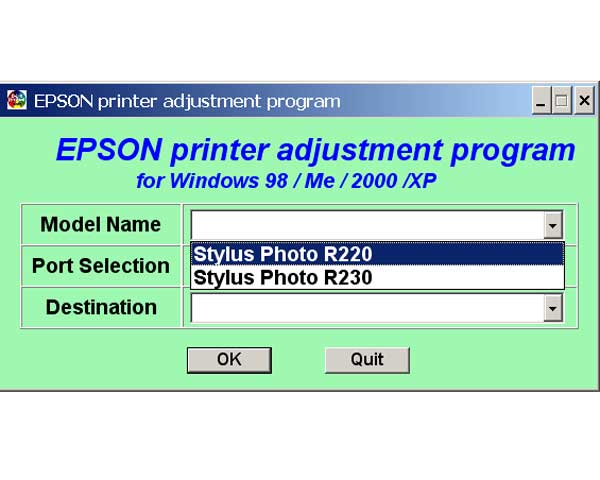
Epson R220, R230 Printers Service Adjustment Program

$9.99
Epson R220, R230 Printers Service Adjustment Program
   Click to enlarge
      

The Epson Adjustment Program for Epson R220 can be used under Windows only (Millenium, 2000, XP, Vista [in compatibility mode]).

To find out how to use this utility to reset the waste ink counter we recommend reading the:
5 Clicks Reset Procedure

To get this adjustment program, for the Epson R220 you need to do the following:

  1. Purchase the utility from 2manuals.com.
  2. You'll get download link on-line and in the email message.

We recommend reading the Epson R220 Service Manual before using the adjustment utility.

Please contact us if you have not received your order.

You can run this program under Windows XP, Windows Vista, Windows 7 in compatibility mode. It is easy!

Lets get to know how to set it up.

To configure the compatibility mode for an application, just locate the installation directory and right click on the .exe file (program you want to run), selecting Properties from the menu.

Select the Compatibility tab:


Windows 7 compatibility mode


You can choose to run the program in Windows XP compatibility mode.

FOR THIS PROGRAM please use the WINDOWS XP compatibility mode!!!


Download the program and run in compatibility mode!

I want to:

Any questions about this product?

SEND US REQUEST by filling the form below.


Step 1
ADD TO CART
Step 2
CHECKOUT
Select payment method.
Step 3
Confirm the order.


We are in business since 2002 and do our best to give our customers perfect service!

Our customers reviews:

  armando ro 2007-05-18 22:04:53  
  please service adjustment program for r220 the epson
  Jack Wilson 2007-04-21 23:00:22  
  JUST A NOTE TO THANKYOU FOR A BRILLIANT WEBSITE SERVICE Had an Epson R220, locked Within three minutes of buying the adjustment software for R220, printer was rejuvenated and lept into life doin handstands!!! Excellent-well done!!! SRS
  Evgen Test 2010-08-31 09:40:59  
  My printer stopped printing with the error as \"General Error\" Epson quoted me $60 to send an engineer to fix my printer. After reading through the information on this site I decided to fix it myself. Found the problem was related to the waste ink pad counter. Only 10 minutes, I had the the printer working. The printer tested fine and has done approx 150 pages since with NO issues. Thanks for the WIC program!
  ricardo Gamad 2015-07-28 13:46:54  
  Thank you so much, I was able to fix my printer L1300 successfully with your amazing software.
  Andrea Castellarin 2019-08-18 08:36:13  
  Very good and easy, it has worked on a Epson Stylus Photo PX730WD
  Nicholas Setorwofia 2010-05-10 15:45:28  
  It is good to have website like this!
  Gawayne Kindness 2010-12-06 07:47:48  
  My Epson Artisan 700 Waste ink pad warning sign came on and i didn't know what to do, searched Google for hours and nothing seemed to work until i found this program. Wonderful program, you saved me aalllooottttt!!!
  Stewart Hulls 2009-10-24 13:33:34  
  I have just downloaded the adjustment program for epson tx800fw it took 2 minutes to reset the printer and it is back up and running. You guys are the best Thank you.
  Claude Henry 2016-04-18 16:13:06  
  Un �norme Merci � Bruno Cohen Apr�s l'achat su service Program epson 4900 et l'application de � initial ink charge � mon imprimante avec 4 buses bouch�es malgr� les diff�rents nettoyages effectu�s refonctionne parfaitement. Bravo et mille mercis
Write review