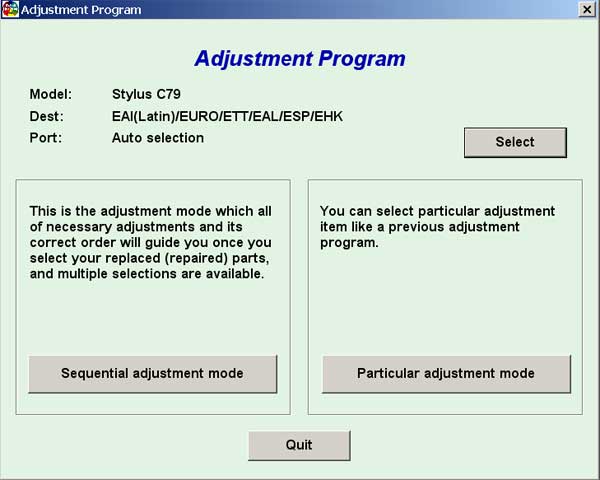
Epson C79 Service Adjustment Program

$9.99
Epson C79 Service Adjustment Program
   Click to enlarge
      

EPSON Stylus C79 Service Adjustment Program.

Under Windows XP only.

To learn more about service program functions go to About Adjustment Programs (in the right column)

Please unzip by WinZip after downloading. Then READ carefuly README file with instructions.

File size - 1 479 kB

You can run this program under Windows XP, Windows Vista, Windows 7 in compatibility mode. It is easy!

Lets get to know how to set it up.

To configure the compatibility mode for an application, just locate the installation directory and right click on the .exe file (program you want to run), selecting Properties from the menu.

Select the Compatibility tab:


Windows 7 compatibility mode


You can choose to run the program in Windows 95, Windows 98 or Windows XP compatibility mode.

FOR THIS PROGRAM please use the WINDOWS XP compatibility mode!!!


Download the program and run in compatibility mode!

I want to:

Any questions about this product?

SEND US REQUEST by filling the form below.


Step 1
ADD TO CART
Step 2
CHECKOUT
Select payment method.
Step 3
Confirm the order.


We are in business since 2002 and do our best to give our customers perfect service!

Our customers reviews:

  nando pires 2010-01-19 00:42:39  
  Thak you. Now working printer.
  nando pires 2010-01-19 00:40:28  
  Good site. Good program!
  dDaniel Gustavo 2008-02-11 09:40:05  
  hope it will work
  Ruth Mason 2006-09-19 06:57:12  
  It worked fine. It was just that we didn't know where to start with opening the program. I couldn't get it to install so there was an icon that took us into the whole program. I found out that if I clicked on the one icon it opened the one we needed. The service manual will be of great help for later when the ink absorption pad needs changing. Thanks for your prompt attention. Regards, Ruth
  Alexey Scherbenko 2020-01-15 16:42:26  
  HELLO!!! Today I bought a key for updating the firmware of my SC P-600 printer. After activ ating the key, WIC started updating the firmware and the message "ROM is not writeable" popped up on the printer screen. Now when I power on printer - I get "Recovery mode". What can I do now?!

======Answer========

Please read how easily and quickly it can be solved -
www.wic.support/epson-wf-3720-stuck-in-recovery-mode-quick-and-esy-solution/
  Edson Hernandez 2023-01-11 17:25:49  
  Hello, you guys are legends for providing this service. It's fucking rediculous customers have to use hacked firmware just to use their own fucking printers. Thanks again.
  Theuns Vorster 2019-09-30 19:00:12  
  I had a G3400 with the 5B00 error. I purchased the Rest Key and I am printing again. Thank you very much...
  Anonymous 2019-05-15 04:23:32  
  i couldn't print my work, but i found wic reset and keep my job, thanks from Mexico city.
  Ray Lloyd 2011-08-01 22:52:57  
  I was a bit too quick to get going and installed the key into the wrong printer; hence I had to purchase another key! Anyway, the second one worked a treat and I thank you for your efforts, even if it did cost me $19.98! Raymondo
Write review