

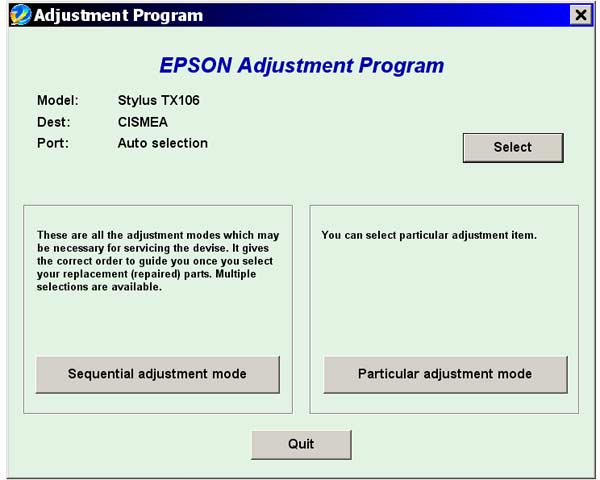
Epson TX106 Service Adjustment Program

$9.99
Epson <b>TX106</b> Service Adjustment Program
   Click to enlarge
      

The Epson Adjustment Program for Epson TX106 can be used under Windows only (Millenium, 2000, XP, Vista [in compatibility mode]).

To get this adjustment program, for the Epson TX106 you need to do the following:

  1. Purchase the utility from 2manuals.com.
  2. You'll get download link on-line and in the email message too
We recommend reading the Epson TX106 Service Manual before using the adjustment utility.

Please contact us if you have not received your order.

I want to:

Any questions about this product?

SEND US REQUEST by filling the form below.


Step 1
ADD TO CART
Step 2
CHECKOUT
Select payment method.
Step 3
Confirm the order.


We are in business since 2002 and do our best to give our customers perfect service!

Our customers reviews:

  allaoua melouk 2010-07-13 06:43:26  
  You are magic man. I have downloaded adjustment program and resetted the waste ink counter. Thank you so much for prompt service!
  fouzi fouzi 2010-04-24 03:13:02  
  Thank you. for the program. It worked on TX106 printer. Reset waste ink counter in few minutes. Not go to epson customer service. Good.
  mirza subing 2008-02-20 08:31:28  
  I want to know this program before i buy it. Can you explain me about your program i had many proble..
  samita dey 2019-08-24 12:10:47  
  Rapide et efficace, très simple à acheter et à utiliser pour le reset de mon imprimante Epson Stylus SX210. Merci
  Tobias Pagel 2022-12-10 16:20:09  
  After an initial trial and after seeing that it worked, I bought a reset key. Works great! 10/10
  Anonymous 2019-05-15 04:23:32  
  i couldn't print my work, but i found wic reset and keep my job, thanks from Mexico city.
  Ian Jones 2012-08-11 17:15:25  
  This is my second purchase today, for the same utility. Purchased under \"ian@cinnamoncafe.com\", had no end of problems. Once I paid the system did not let me in. Tried to change the password and it sent me 3 updates to the correct address, then informed me that the e-mail and password where both incorrect. Still have no joy. Decided to register again at ian@jonesi.demon.co.uk, and everything worked smoothly!
  Ross Beale 2008-10-01 05:33:22  
  Thank you
Write review



