

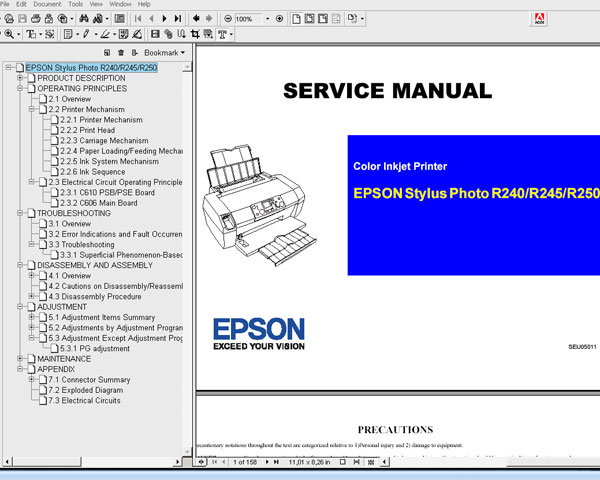
Epson R240, R245, R250 printers Service Manual

$9.99
Epson R240, R245, R250 printers Service Manual
   Click to enlarge
      

This Epson R240, R245, R250 Service Manual describes basic functions, theory of electrical and mechanical operations, maintenance and repair procedures of the printer.


FORMAT: High resolution PDF document!
Zip archive: 7 457 kB

I want to:

Any questions about this product?

SEND US REQUEST by filling the form below.


Step 1
ADD TO CART
Step 2
CHECKOUT
Select payment method.
Step 3
Confirm the order.


We are in business since 2002 and do our best to give our customers perfect service!

Our customers reviews:

  K A R Wright 2010-07-28 20:57:29  
  Have to confess I was a bit dubious about spending the money and whether it would be worthwhile, but am pleasantly surprised. Where others charge almost as much for a couple of single pages of info of little use, your manual is the complete one and indeed well worth the cost. Hoping it's going to enable my printer support guy to fully fix the problem with mine and save me having to shell out a LOT more to get another printer. Thanks.
  lins doug 2007-07-19 15:43:18  
  thank you!
  Ivan Tilbury 2015-09-08 06:01:35  
  I purchased the epson adjustment program last night and got to work on it today.
I had a clog in C and it would not clear. I ve had my 4900 for over 2 years and have been able to handle them until now.
I learned about this site from another site that has cleaner for the 4900 and said I need to buy this software first. I bought it and tried it with the epson ink that was in my printer. I ran the adjustment and it cleared C but then there were other clogs. Because they werent clogged before I started, I cleared them the normal way through the printers options. Had they not cleared, I would have ran the adjustment again.
I had tried everything to get C to clear for a week and this program did it in one try!

I would highly recommend this for clearing a stubborn clog. And now it is in my arsenal if I get another one that I cant clear down the road. By the way, it does not work if your printer is networked. Mine was so I had to move a computer into the room with my printer, directly connect to it and install the drivers. Then it work fine.
If you got a clog that you cant fix, just buy it.
  toan le ngoc 2020-10-01 01:52:47  
  I am very, very grateful that this helped me in resetting the school printer. it is very hassle (avoiding corona virus spread) in my part to carry the printer from my place transporting via boat to the city (travelling for at least an hour by the sea) but with your help it solved my problem we can now continue the printing of the modules and self learning materials of the children since the classes will start on October 5. good job!
  Garnett Stokes 2011-01-09 12:37:59  
  My Epson R2880 stopped printing and showed alternating ink and paper flashing lights. I had an extended warranty that I purchased with the printer but because I didn\'t register the warranty within 30 days I was told by Mack Camera that they would not honor the warranty. So after much research and web surfing I found myself at 2manuals. I wasn\'t even sure that the wic was the problem and I had serious doubts about spending more money on what could just be another scam like the extended warranty was. However like one reviewer said, what was $9.99. Well I downloaded the program, obtained the $9.99 pin code, loaded the software, and exactly as the video shows I was up and running. I couldn\'t believe it when the printer sprung to life and was ready to print. Hey, try it. You\'ll be glad you did.
  wahid ahmady 2013-02-19 16:37:42  
  This worked a treat, many thanks. Epson, just like most other printer manufacturers just want to rip us all off. Thanks to you guys it can be avoided in part. All the best
  KEITH RICHARD FIRME 2021-04-10 07:08:57  
  BRILLIANT!!!!!!! You deserve every dollar you make from your extraordinary program and service. THANK YOU SO MUCH! In awe of you, that you could produce, make, create this reset program so that even I, 78 yrs. old, mostly blind and not much of a computer geek, could do it! I al thrilled and jumpinga round because you saved me about $300>$400 from not having to buy a new printer.
Write review



