

Stylus Pro 4800 Printer
Field Repair Guide

$9.99
Stylus Pro 4800 Printer <br>Field Repair Guide
   Click to enlarge
      

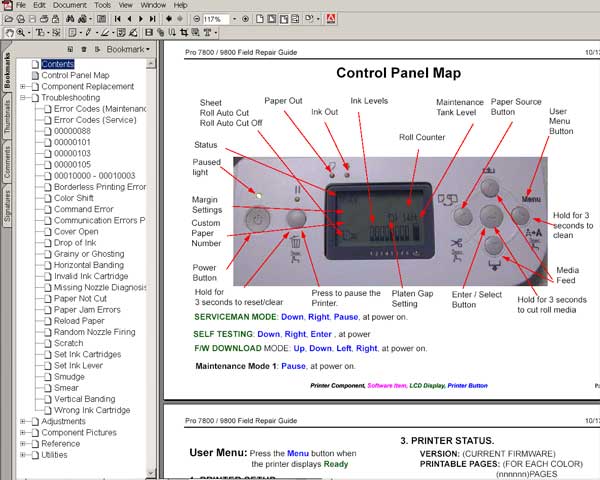
This manual describes basic functions, theory of electrical and mechanical operations, maintenance and repair procedures of Epson Stylus Pro 4800. The instructions and procedures included herein are intended for the experienced repair technicians, and attention should be given to the precautions on the preceding page.


FORMAT: High resolution PDF document!
ZIP archive: 9 907 kB

I want to:

Any questions about this product?

SEND US REQUEST by filling the form below.


Step 1
ADD TO CART
Step 2
CHECKOUT
Select payment method.
Step 3
Confirm the order.


We are in business since 2002 and do our best to give our customers perfect service!

Our customers reviews:

  mathan mathan 2007-06-07 19:16:10  
  thanking you service for help becase my family is very poor so i am not purchase is any orginal parts
  vitaliy nikiforov 2007-04-18 05:43:16  
  Just wanted to say THANK YOU for info that I found on your website in this manual I thought my printer was dead in the water and your info bailed me out. You saved me a trip to a repair shop and no telling how much $$!
  vitaliy nikiforov 2007-04-18 05:42:00  
  I just wanted to say thanks for the info from your site
  Le-Jaune Morgan 2025-07-10 15:51:46  
  You saved me a ton of money. This is the second time I had to reset a printer's waste pad, and Wicreset has not disappointed me. Thank you, thank you, thank you!
  Daniel Nove 2010-11-11 09:33:24  
  Excellent. Very well invested 10$ CX9300F , worked like a charm. Thanks guys
  Rene Quisiyupanqui 2003-11-26 23:08:58  
  prompt download - good!
  rdlaw law 2023-01-19 22:37:39  
  It was best $10 I ever paid in my life!!!
  ghyth saadi 2010-10-26 00:19:04  
  Thank you so much! My printer is ok now!
  svenn svenson 2012-03-05 19:14:52  
  THIS IS A MUST HAVE UTILITY This reset key worked perfectly for my Epson Artisan 800. I tried the Epson reset utility (free from Epson) many times. It would "reset" the counter to "40%", then upon turning printer off - on, it would revert to "0%" with the error message that the inkpads had reached their end of life. This also happened whenever I performed a head cleaning. For those of us who use a CIS (I am not affiliated with inkproducts.com - but have been using their CIS for a couple of years and LOVE the quality and service) - it is imperative to be able to reset this waste ink counter. I should also add, the waste ink pad issue is real - don't expect to simply reset the waste ink counter and go happily on your printing way - you will have a disaster and you will experience frequent head clogging. You MUST use an external waste ink disposal system - either make your own for $5 or buy one. THIS + the reset utility is what enables you to get the true value from your CIS-modified printer.
  Priscilla Villalobos 2020-07-23 13:18:55  
  Good morning. I have two questions, if you´re so kind to help me. 1) The expiration date key. Does it mean once we get it, we have a period to use it? Or what the expiration date referenced to? 2) If the printer has a problem and we have to format it again, will the key information lost and we need a new one, or does it be able to be used again?. Many thanks ! Esther
Write review



