

Stylus Pro 4800 Printer
Field Repair Guide

$9.99
Stylus Pro 4800 Printer <br>Field Repair Guide
   Click to enlarge
      

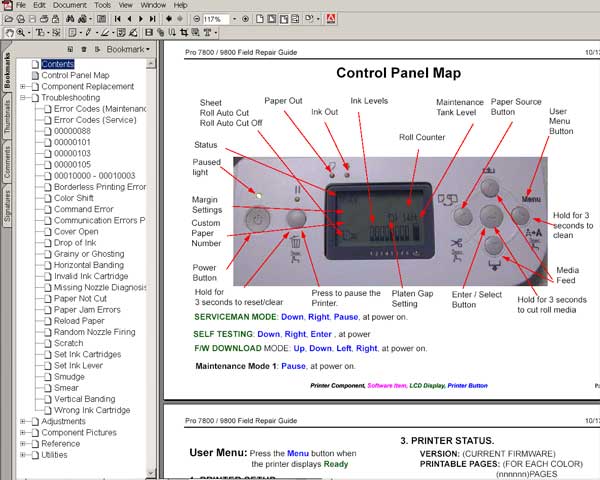
This manual describes basic functions, theory of electrical and mechanical operations, maintenance and repair procedures of Epson Stylus Pro 4800. The instructions and procedures included herein are intended for the experienced repair technicians, and attention should be given to the precautions on the preceding page.


FORMAT: High resolution PDF document!
ZIP archive: 9 907 kB

I want to:

Any questions about this product?

SEND US REQUEST by filling the form below.


Step 1
ADD TO CART
Step 2
CHECKOUT
Select payment method.
Step 3
Confirm the order.


We are in business since 2002 and do our best to give our customers perfect service!

Our customers reviews:

  mathan mathan 2007-06-07 19:16:10  
  thanking you service for help becase my family is very poor so i am not purchase is any orginal parts
  vitaliy nikiforov 2007-04-18 05:43:16  
  Just wanted to say THANK YOU for info that I found on your website in this manual I thought my printer was dead in the water and your info bailed me out. You saved me a trip to a repair shop and no telling how much $$!
  vitaliy nikiforov 2007-04-18 05:42:00  
  I just wanted to say thanks for the info from your site
  Mohamed abbas 2007-07-04 11:55:01  
  It worked out! Thanx!!!
  vijayanand swami 2009-11-07 16:44:04  
  i have epson 4880c/ the masses display service req 000110033
  giuseppe moffa 2020-06-10 15:13:35  
  after only cleaning the printer (Canon G3400) three times in a short period, the waste counter was on 100% (almost new printer). tried the free tools which you can download to reset the counter, they all didn't work. Finally decided to buy the key here and didn't believe it would work. But it did, i can use my printer again and I am happy.
  jose manuel gutierrez sagüillo 2012-12-04 07:30:14  
  todo perfecto a los 5 dias como dijeron me mandaron la clave un placer todo ok se puede confiar en la guente esta
  Mary-Ann Prinsloo 2022-07-19 12:17:16  
  Good day. I have to clean my printer head EVERY hour. Then it prints fine. Until I leave it for an hour. So this leads to waste pad full and I have to purchase a key every time. Is there another way to go around this problem please? I cannot afford to buy a key every week.

=======Reply ========
You have to make 2 things
- clean parking station first - then inks will not dry on printhead;
- use high quality inks.
  sunil maurya 2020-04-08 12:02:47  
  Thank a lot. THANK to wik reset utility i avoid wasting money in a new printer.
  Debbie Pullinger 2011-05-04 12:38:37  
  OH my god !! After struggling to get the reset programme for my printer, I found 2manuals.com and had everything bought, recieved and printer reset in about 10 minutes. All for about £5.00. Thankyou so much !!
  sainanda min 2007-08-07 00:58:34  
  My printer stopped printing with the error as \"General Error\" Epson quoted me $60 to send an engineer to fix my printer. After reading through the information on this site I decided to fix it myself. Found the problem was related to the waste ink pad counter. Only 10 minutes, I had the the printer working. The printer tested fine and has done approx 150 pages since with NO issues. Thanks!
Write review



