

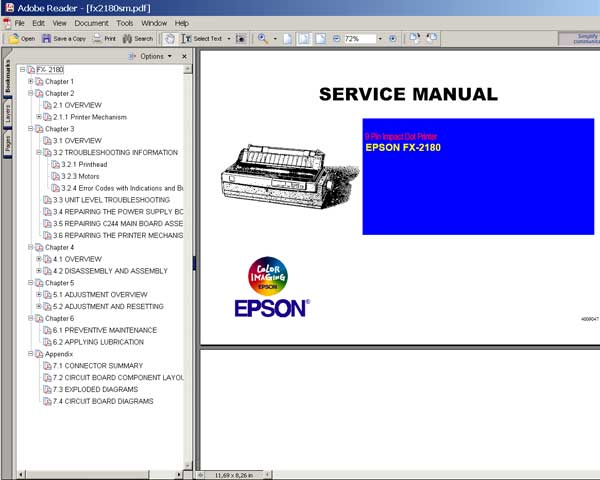
Epson FX-2180 Printer
Service Manual

$8.99
Epson FX-2180 Printer <br> Service Manual
   Click to enlarge
      

This manual describes functions, theory of electrical and mechanical operations, maintenance, and repair of
the Epson FX-2180. The instructions and procedures included herein are intended for the experienced repair
technician, and attention should be given to the precautions on the preceding page.

FORMAT: High resolution PDF document!
Zip archive: 7 020 kB

I want to:

Any questions about this product?

SEND US REQUEST by filling the form below.


Step 1
ADD TO CART
Step 2
CHECKOUT
Select payment method.
Step 3
Confirm the order.


We are in business since 2002 and do our best to give our customers perfect service!

Our customers reviews:

  Ari Lucky 2007-06-21 10:16:38  
  i am is very2 interest at epson lq 2180. but its trouble now, plz help me send a reseter lq 2180 thx ya........................ bye
  Eugene Bustillos 2025-12-21 21:32:35  
  I was a bit hesitant at first. The website looks very old. However, after watching an infuencer's video, https://youtu.be/BL5daGezO0o?si=9Qi4AmSDSMEevZMw I decided to go for it. The process was fast and simple. My Epson ET-2650 worked right away!
  Børge Tobiassen 2010-12-19 00:53:23  
  Hello, my printer PX700W is back in business after downloading the reset key for about 10 dollars. Greetings from Borge in Norway :-)
  Darius Sruoginis 2025-02-03 17:37:11  
  Changed the waste ink pads with the new ones and used WicReset for reseting waste counter on Epson L382. Received the key without any delay, right after placing the order and paying for it. Worked perfectly. Counter became 0,00%. Great utility!
  Edward Parker 2025-05-26 16:15:56  
  Thank you for your service! Took awhile to figure it all out but I think I got it. Thank you!
  ap apa 2009-03-25 20:36:36  
  i got my service manual for panasonic dr-49 receiver. Thanks a lot for very clear service manual...
  Joseph Bowman 2019-10-24 00:26:55  
  Epson XP-700 working fine till suddely get message saying 'ink pad at end of useful life - contact Epson Service' Epson service not interested as printer no longer under warranty and suggested best option would be to buy a new printer and scrap this one. So not a happy chappy and looked for options to try and resolve this issue. Found this site and downloaded reset program. WIN10 64bit PC connected to printer by WiFi. Ran reset utility - did not find any printers. Switched off printer and re started, disabled Epson Print Utility still no printer found. Rebooted PC and then after it had restarted tried the WIC Reset Utility again after connecting printer through USB. This time WIC found both connections WiFI and USB. Using USB took Reset option and purchased Key. Copied key into WIC utility and OK. Switched Off printer and then switched on and magic no error message and printer back to normal. Very pleased and somewhat relieved as have some printing to complete tonight before tomorrow morning. Very happy to pay £9.97 for this result.
  Riccardo Ritteri 2019-05-06 23:19:15  
  The license.exe utility doesn't recognize the printer XP-441.

Answer: Change USB Cable
  Patrick Reynolds 2023-03-26 18:26:17  
  Just used my Reset Key for Epson XP-700 printer. Worked a treat. Many thanks.
Write review



