Epson Pro 3800 Service Adjustment Program

$14.99
Epson <b>Pro 3800</b> Service Adjustment Program
   Click to enlarge
      

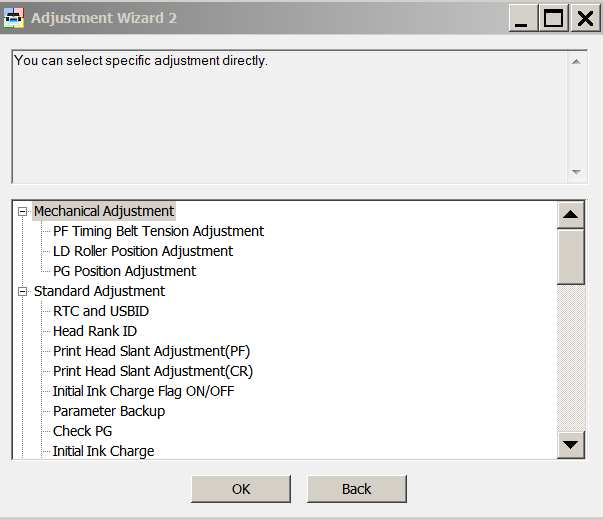
Epson Pro 3800 Adjustment Program - Wizard


You can download Free DEMO version first. This DEMO Epson Pro 3800 Wizard is developed special for our customers. You can download it and use - Free. You can see all available adjustment functions in Original Pro 3800 Adjustment Wizard and be sure before purchasing Wizard.
Download Epson Pro 3800 DEMO Wizard Free - Download Free

Video Tutorial how to work with DEMO Epson Pro 3800 Wizard:


Epson Stylus Pro 3800 Service Program

You can run this program with USB connection only and under Windows XP, Windows Vista, Windows 7, 8, 10 in compatibility mode. It is easy!

Lets get to know how to set it up.

To configure the compatibility mode for an application, just locate the installation directory and right click on the .exe file (program you want to run), selecting Properties from the menu.

Select the Compatibility tab:


Windows 7 compatibility mode


Download the program and run in compatibility mode!

I want to:

Any questions about this product?

SEND US REQUEST by filling the form below.


Step 1
ADD TO CART
Step 2
CHECKOUT
Select payment method.
Step 3
Confirm the order.


We are in business since 2002 and do our best to give our customers perfect service!

Our customers reviews:

  max alford 2009-01-04 10:57:18  
  the pro 3800 service adjustment program
  Audrey Boilley 2017-02-09 15:06:53  
  Thanks for your help. My printer is working again.
  mirza subing 2008-02-20 08:31:28  
  I want to know this program before i buy it. Can you explain me about your program i had many proble..
  Anonymous 2020-02-27 17:38:46  
  I have had this Epson SX200 for more than 10 years, it has been reset on service twice, but now I decided to do it myself. First I used a trial version and then bought a key. My Epson is like new again. Thank you !!
  pierre commenge 2011-06-08 14:51:41  
  it does not work, can not recognize ink cartridges always displayed, Epson SX400 ========== REPLY ============== The WIC reset utility can reset Waste Ink Counters only. Not Ink cartrigs levels in SX400. You can use auto reset chps to reset the ink levels.
  Claude Henry 2016-04-18 16:13:06  
  Un �norme Merci � Bruno Cohen Apr�s l'achat su service Program epson 4900 et l'application de � initial ink charge � mon imprimante avec 4 buses bouch�es malgr� les diff�rents nettoyages effectu�s refonctionne parfaitement. Bravo et mille mercis
  Neil Skidmore 2015-11-23 00:28:01  
  Ace. I downloaded the programme which told me that one waste ink was at 65 % and the other was at 100% This told me that the programme was communicating with the printer (Another utility I tried would not even talk to the printer.) This gave me confidence to buy the key to activate the reset. It worked in seconds and my now perfectly functioning A3+ printer is no longer a pile of scrap. If only Epson UK were this good!!!
  Lynn Hendrickson 2023-12-18 18:55:39  
  I was very happy with the ease of ordering & installing the WIC Reset Utility Key. My printer is up and running once again after I replaced the waste toner box. THANK YOU
Write review