

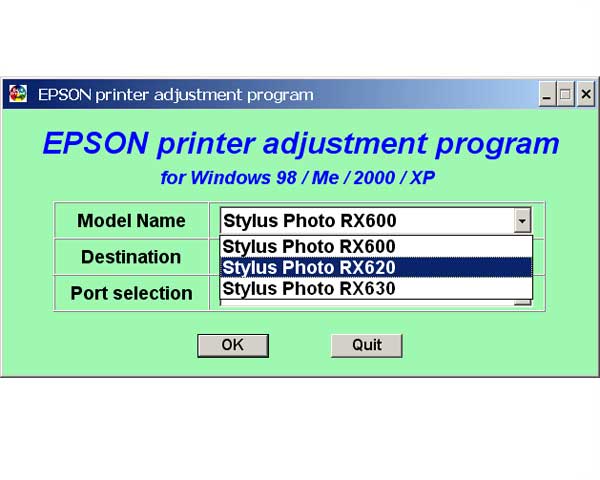
EPSON RX600, 620, 630 Service Program

$9.99
EPSON RX600, 620, 630 Service Program
   Click to enlarge
      

Under Windows XP, 2000.

To learn more about service program functions go to About Adjustment Programs (in the left column)

To use this program the best way you have to read Service Manual first.

I want to:

Any questions about this product?

SEND US REQUEST by filling the form below.


Step 1
ADD TO CART
Step 2
CHECKOUT
Select payment method.
Step 3
Confirm the order.


We are in business since 2002 and do our best to give our customers perfect service!

Our customers reviews:

  Andrea Tonni 2010-01-23 21:52:49  
  Thank you!
  oscar arellano 2020-05-30 16:19:32  
  kebutuhan untuk memperbaiki printer epson L120 karena kami selalu mempercayakan epson adalah printer terbaik
  musfari11 musfari11 2012-05-04 13:10:40  
  thanks alot , i almost didnt beleive it would work but im glad i spent 10 dollars with you instead of hundreds with some printer repair shop .. i hope you make millions..haha
  Schaun Smuts 2015-10-23 11:16:13  
  I was amazed how easy that was. I was in doubt that this simple download would work... with my heart racing!

I entered the key,and there it was, all fixed.

2manuals, I must say, what you said it would do, it did, and I\'m so relieved and happy, and can work again.

The success of this has made me want to write a review on your product right away.

Thank you so much

Robert Dorsey President/CEO Cabin Watch Fine Time Wear
  eloana coelho 2023-12-18 17:33:46  
  I always bought the key and it arrived correctly, but unfortunately in my last 3 purchases, the key did not arrive. I already sent an email to support with the order number with the problem, they told me that everything was resolved, but nothing was resolved, and I still don't have the key. very bad and slow customer support, it took almost 2 days for useless response.
  svenn svenson 2012-03-05 19:14:52  
  THIS IS A MUST HAVE UTILITY This reset key worked perfectly for my Epson Artisan 800. I tried the Epson reset utility (free from Epson) many times. It would "reset" the counter to "40%", then upon turning printer off - on, it would revert to "0%" with the error message that the inkpads had reached their end of life. This also happened whenever I performed a head cleaning. For those of us who use a CIS (I am not affiliated with inkproducts.com - but have been using their CIS for a couple of years and LOVE the quality and service) - it is imperative to be able to reset this waste ink counter. I should also add, the waste ink pad issue is real - don't expect to simply reset the waste ink counter and go happily on your printing way - you will have a disaster and you will experience frequent head clogging. You MUST use an external waste ink disposal system - either make your own for $5 or buy one. THIS + the reset utility is what enables you to get the true value from your CIS-modified printer.
  Charles Breward 2025-07-11 12:44:59  
  Thank you for your service. The process was straight forward, thank you.
  Quik Drop of Modesto 2019-03-18 18:49:54  
  It works. Phew! If only I'd found this website earlier.
Write review



