

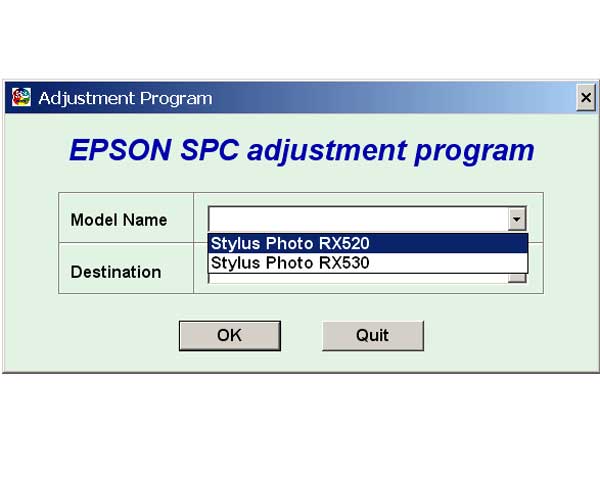
Epson RX520, RX530 Service Adjustment Program

$9.99
Epson RX520, RX530 Service Adjustment Program
   Click to enlarge
      

EPSON Stylus Photo RX520, RX530 Service Adjustment Program.

Under Windows XP only.

To learn more about service program functions go to About Adjustment Programs (in the right column)

Please unzip by WinZip after downloading. Then READ carefuly README file with instructions.

File size - 5 323 kB

I want to:

Any questions about this product?

SEND US REQUEST by filling the form below.


Step 1
ADD TO CART
Step 2
CHECKOUT
Select payment method.
Step 3
Confirm the order.


We are in business since 2002 and do our best to give our customers perfect service!

Our customers reviews:

  Marcoz Paz 2009-01-12 23:13:49  
  Excelent!! ............................................................................................
  Jakov Frumin 2009-01-05 22:37:02  
  ok
  Jakov Frumin 2009-01-04 19:55:12  
  I purchased the R1400 service manual from 2manuals with no problems... Paid for download. $14.00 US
  Park Chan Yong 2007-11-16 06:30:19  
  yes!
  diegog_64 gaston 2008-01-23 06:33:24  
  This will be good
  roger augusto ventura monasterio 2005-11-14 18:33:49  
  i just wnna thank u for ur gret websit becoz its so easy and shortly . by other wise i need u to info me about service manual if it has trouble codes and diagnostic and troubleshooting procedures ?......thanx
  John Noel 2020-11-09 16:44:24  
  Thank you ! Work perfectly ! Model Epson WF 5620
  sainanda min 2007-08-07 00:58:34  
  My printer stopped printing with the error as \"General Error\" Epson quoted me $60 to send an engineer to fix my printer. After reading through the information on this site I decided to fix it myself. Found the problem was related to the waste ink pad counter. Only 10 minutes, I had the the printer working. The printer tested fine and has done approx 150 pages since with NO issues. Thanks!
  NAREN NAREN 2009-05-05 19:38:21  
  This is what I need. Thanks.
  richard haynes 2020-05-11 23:57:36  
  Thank you so much for the reset. I was able to clean my ink pads, and then using your reset utility, reset my printer and now it works perfectly! So much better than buying a new printer!
Write review



