HP Digital Sender 9100C Service Manual, Parts and Diagrams

$9.99
HP Digital Sender 9100C Service Manual, Parts and Diagrams
   Click to enlarge
      

HP Digital Sender 9100C Service Manual, Parts and Diagrams

This manual is mainly thought for Technicians and Customer Engineers (CE's) that will repair the product On Site. It is a good reference document for the Repair Centers (RC's) too.

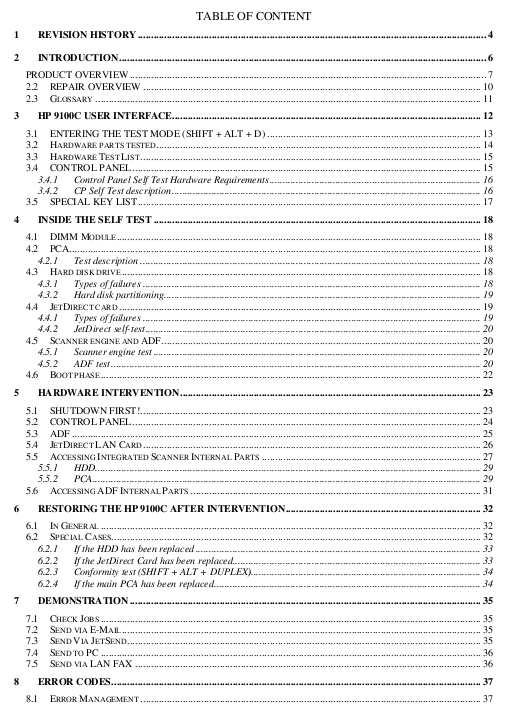
Table of Contents

1 REVISION HISTORY
2 INTRODUCTION
3 HP 9100C USER INTERFACE
4 INSIDE THE SELF TEST
5 HARDWARE INTERVENTION
6 RESTORING THE HP 9100C AFTER INTERVENTION.
7 DEMONSTRATION
8 ERROR CODES

Total 40 pages
FORMAT: High resolution PDF document!
ZIP archive: 620 kB

I want to:

Any questions about this product?

SEND US REQUEST by filling the form below.


Step 1
ADD TO CART
Step 2
CHECKOUT
Select payment method.
Step 3
Confirm the order.


We are in business since 2002 and do our best to give our customers perfect service!

  Lothar Hennig 2012-01-08 15:51:25  
  Hat alles super geklappt und sogar ohne große Englisch Kenntnisse. Bin begeistert immer wieder.
  Devid Moretton 2015-01-25 19:50:30  
  I found the problem, why the reset diidnt work. it was in depending of the epson status monitor. I was going to the task manager and stopped the status monitor. The problem was \\\"The printer statut manager\\\" After stopping status monitor, the reset was work probably. Thanks
  Victoria Parvanova 2024-07-20 14:43:05  
  I saved the printer of my boyfriend a few years ago with the trial key and he was so happy that he gifted it to me. Now I decided to give the same printer one more chance and it worked again, saving me 300 euro for the price of 14 within 5 minutes. I also changed the pads by the way did not just reset the software and I recomend you to do that as well. Super easy to use and worth the money! Last but not least a really sustainable solution, allowing us to use a device which otherwise would be throuwn away.
  Michael Adamek 2011-07-19 04:45:43  
  I have an epson artisan 800. I tried using the epson waste ink counter reset tool, but it was worthless. I used the 2manual reset utility and it worked perfect, resetting the counters to zero. It was so easy to complete.
  Franco Gigliotti 2012-10-03 10:11:21  
  Veramente efficace e veloce. Sono più volte che utilizzo il programma WIC e mi sono trovato sempre bene. Certo, bisogna svuotare la vaschetta di recupero dell\'inchiostro. Se no...
  Ruth Mason 2006-09-19 06:57:12  
  It worked fine. It was just that we didn't know where to start with opening the program. I couldn't get it to install so there was an icon that took us into the whole program. I found out that if I clicked on the one icon it opened the one we needed. The service manual will be of great help for later when the ink absorption pad needs changing. Thanks for your prompt attention. Regards, Ruth
  Warren Ryland 2013-07-21 10:09:23  
  The reset utility works great for my Artisan 700. Thank you SO SO SO much for making this available for Mac. You can\'t imagine how much hassle you\'ve saved me - trying to get a Windows machine to run a reset utility on... Excellent service altogether. Many thanks from Ireland!
  Heather Baker 2024-03-24 18:37:16  
  super fast, easy, and secure. offer bulk deals. will definitly use again.
Write review





