|
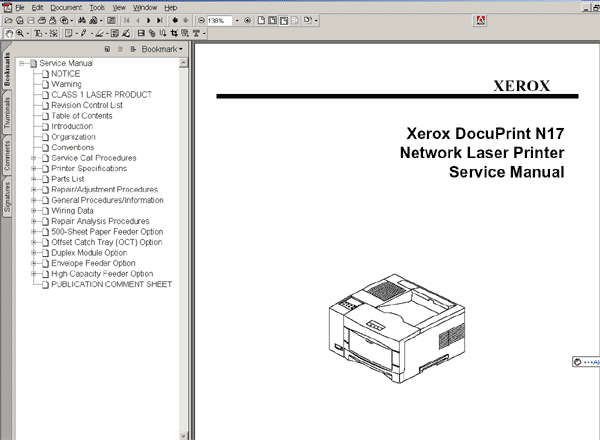
The DP N17 Network Laser Printers Service Manual is the primary document
used for repairing and
maintaining the Network Laser Printers.
This manual contains Service Call Procedures, Diagnostic Procedures, General
Information,
Repair Analysis Procedures, Copy Quality Analysis Procedures, Wiring Data,
and Parts List
information that will enable the Service Representative to repair the Network
Laser Printers failures.
Organization
This manual is divided into eleven sections. The title and description of
each section of this service
manual is as follows:
Section 1 - Service Call Procedures
This section is used to identify a suspected problem. It contains Call Flow,
Initial Actions, and
Final Actions. This part of the service manual should always be used to start
the service call.
Section 2 - Printer Specifications
This section contains all the printer specifications for the Network Laser
Printers.
Section 3 - Parts List
This section contains illustrations of disassembled subsystems and a listing
of the spared parts.
Section 4 - Repair/Adjustment Procedures
This section contains the instructions for removal, replacement, and adjustment
of the spared parts.
Section 5 - General Procedures/Information
This section contains diagnostic routines, printer setup procedures, and a
listing of tools and
supplies.
Section 6 - Wiring Data
This section contains illustrations of the plug/jack locations and the routing
of power and signal
cables.
Section 7 - Repair Analysis Procedures (RAPS)
This section contains the procedures necessary to repair failures in the printer.
This section also
contains the procedures necessary to troubleshoot copy quality problems.
Section 8 - 500-Sheet Paper Feeder Option
This section contains Specifications, Parts List, REPs, Wiring Diagrams, Troubleshooting,
and
RAPs information for the 500-Sheet Paper Feeder option.
Section 9 - Offset Catch Tray (OCT) Option
This section contains Specifications, Parts List, REPs, Wiring Diagrams, Troubleshooting,
and
RAPs information for the OCT option.
Section 10 - Duplex Module Option
This section contains Specifications, Parts List, REPs, Wiring Diagrams, Troubleshooting,
and
RAPs information for the Duplex Module option.
Section 11 - Envelope Feeder Option
This section contains Specifications, Parts List, REPs, Wiring Diagrams, Troubleshooting,
and
RAPs information for the Envelope Feeder option.
FORMAT: High resolution PDF document!
ZIP archive: 5 043 kB
|





 Total customers: 436427
 Customers online: 252








