CANON Service Tool V4200 for all iP series, MG series, iX series, MP series printers work under Windows OS only.
Some of supported printer models for work with Service Tool V4200:
iP2700, iP7240, iP4800, iP4810, iP4840, iP4910, iP4940, iP4970, iP4980, iP4990, iP5810, iP5880
MP230, MP270, MP280, MP490
IX6500, IX6510
IP3600
PRO9000
MG2120. MG2140, MG2240, MG3140, MG4140, MG5140, MG5240, MG5340, MG6140, MG6240, MG8140, MG8240
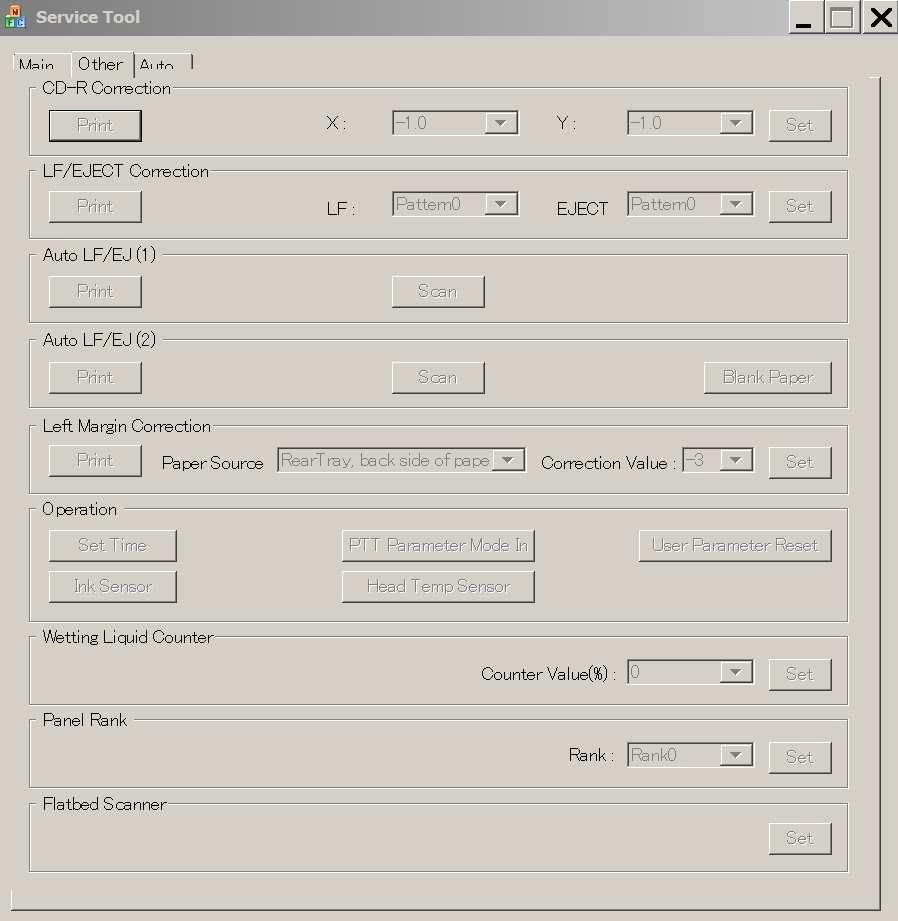
This Service Tool can make service adjustments and Reset procedures with the Ink Absorber Counter. To reset waste ink absorber counters you have to use Service Tool V4200 under Windows XP or under other Windows OS in the compatibility mode:
1. Order and DOWNLOAD Service Tool V4200 for Canon iP, MG series
2. Unzip downloaded file by WinZip.
3. Set the printer in Service Mode:
- power OFF the printer by Power button. Dont disconnect power cable
- connect the printer by USB cable to the PC.
- press and hold Resume button (red triangle in the red circle) and press Power button
- hold both buttons until power on indicator will light then release Resume button (dont release Power button) and press Resume button 5 times and for MG series - 6 times!
- release all buttons - the printer will blink few times with green light and will then light green constantly. You have put the printer in Service Mode now and you can now run the Service Tool. (If the printer is still blinking by green - you have some other errors in printer and you have to fix them first, because the Service Tool will not work if the printer is not put in service mode - green light is constant)
4. Run the Service Tool V4200.exe program.
5. Select the connected USB port number from USB PORT
6. In the Ink Absorber Counter section of the Service Tool, select MAIN from the Absorber pull-down menu.
7. From the Counter Value (%) pull-down menu, select the value (in 10% increments) which is the closest to the actual counter value confirmed before replacement of the logic board, and click SET.
Print EEPROM information to confirm that the value is properly set to the EEPROM.
printers Service Tool
ZIP archive: 1 692 kB
|
|
|
|
|
Step 1
ADD TO CART |
Step 2
CHECKOUT
Select payment method. |
Step 3
Confirm the order. |
|
|
We are in business since 2002 and do our best to give our customers perfect service!
|
Our customers reviews:
| LI XIAO | 2019-09-23 20:26:25 | | Hi,
Is there somebody has printer type MG7150 ?
If yes, what's solution to reset counter because I have code 1700 on the screen ?
Many thanks
Pascal | |
| Lloyd Robinson | 2016-01-21 23:35:21 | | Could you please add reset for printers for the last Canon cartridges like PG545 and CL546, please? We have about 100 printers with full waste ink counter. Thank you. | | | Anonymous | 2019-06-02 11:17:55 | | perfeeeeeeeeeeeeeeeeeeeeeeeeeecccccccccccccccccttttttttttttttttttttttttttttttt | |  | Miguel Angel Servin Espinoza | 2007-12-21 19:47:47 | | Perfecto espero la compra se la mejor, les agradezco de antemano sus atenciones | | | Mitchell Chand | 2011-10-28 17:14:27 | | Excellent support!! Now able to clear the Waste Ink Counter. Thanks guys. | | | Ernest Wolniak | 2016-08-17 20:24:52 | | the rester reset epson P600 with at26fb firmware | | | jam epson | 2008-07-15 15:29:21 | | | Jean-Louis Boulin | 2020-08-03 18:51:10 | | Good job THX ! My Epson ET-2550 working again
Best regards | | | Miroslaw Nocon | 2023-08-23 16:46:26 | | Dziękuję Bardzo. Wszsytko działa. PRzestali zarabiac na cardridżach to wymyślili drogą wymianę pampersa w serwisie. Dopóki miałem ubuntu nie musiałem niczego resetować, nawet wymieniaćpampersa i jakoś nic się nie przepełniło... Przeszedłem na sterowniki Epsona bo zainstalowałem Windows11 to pojawił się problem, czyli widać że to ewidentnie naciąganie klienta. Producent oszust, ale na szczęście są uczciwi i dobrzy hakerzy - brzmi dziwnie, ale taka jest prawda.
Brawo dla 2manuals.com.
Mam Epson L3060 Eco Tank. | |
|







 Total customers: 443539
 Customers online: 106








