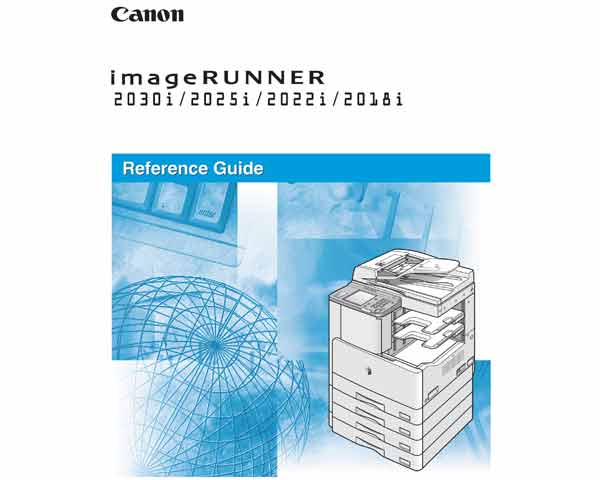
Canon imageRUNNER iR2018, iR2022, iR2025, iR2030 Copiers Reference Guide

$14.99
Canon imageRUNNER iR2018, iR2022, iR2025, iR2030 Copiers Reference Guide
   Click to enlarge
      

 Canon imageRUNNER iR2018, iR2022, iR2025, iR2030 Copiers Reference Guide

This Canon imageRUNNER iR2018, iR2022, iR2025, iR2030 Copiers Reference Guide has been issued for qualified persons to learn installation, troubleshooting and service the product.

Some parts of the machine must be replaced on a periodical basis so as to ensure a specific level of performance. They may be free of external changes or damage, but they can significantly affect the machine performance once they lose their function. It is best if replacement work is scheduled to coincide with a scheduled visit to the user's. The values indicated herein are estimates only and are subject to change depending on the site environment and how the machine is used.

Canon imageRUNNER iR2018, iR2022, iR2025, iR2030 Copiers Reference Manual CONTENTS

Chapter 1 Before You Start Using This Machine
Installation Location and Handling
Parts and Their Functions
Main Power and Control Panel Power
System Settings
Obtaining and Registering a License Key

Chapter 2 Basic Operations
What This Machine Can Do
Overview of the imageRUNNER 2030i/2025i/2022i/2018i
Using the Touch Panel Display
Entering Characters from the Touch Panel Display
Entering the Department ID and Password
Entering a User ID and Password
Making Prints Using the Stack Bypass
Multifunctional Operations
Available Paper Stock

Chapter 3 Optional Equipment
System Configuration
Cassette Feeding Module-P1/Q1
Finisher-U2
Inner 2 Way Tray-E2
Card Reader-E1

Chapter 4 Customizing Settings
What Are Additional Functions?
Additional Functions Settings Table
Specifying Common Settings
Timer Settings
Adjusting the Machine

Chapter 5 Checking Job and Device Status
Checking the Counter
Checking Job Status
Copy/Print Job Details

Chapter 6 System Manager Settings
Specifying the System Manager Settings
Department ID Management
Device Information Settings
User ID Management
Remote UI
Restricting the Send Function
Checking the Job Log
Restricting the USB Interface Port
Displaying the Current Department ID/User Name
Printing/Storing Received Documents When Document Forwarding Fails
Auto Online/Offline
Detecting and Installing Drivers that Support Functions Specified on the Machine into Your Computer

Chapter 7 Routine Maintenance
Paper Drawers
Feeder
Replacing the Staple Cartridge
Replacing the Toner Cartridge
Routine Cleaning
Consumables

Chapter 8 Troubleshooting
Reducing the Frequency of Paper Jams
Clearing Paper Jams
Clearing Staple Jams
List of Error Messages
If Memory Becomes Full during Scanning
Service Call Message

Chapter 9 Appendix
Report Samples
Specifications
Relationship between Original Orientation and Preprinted Paper Output Chart

FORMAT: High resolution document in PDF
ZIP archive: 11 218 kB

DOWNLOAD NOW!

Click the image to enlarge the first page of Canon iR2018, iR2022, iR2025, iR2030 Reference Manual

I want to:

Any questions about this product?

SEND US REQUEST by filling the form below.


Step 1
ADD TO CART
Step 2
CHECKOUT
Select payment method.
Step 3
Confirm the order.


We are in business since 2002 and do our best to give our customers perfect service!

Our customers reviews:

  Nicholas Setorwofia 2010-05-10 15:45:28  
  It is good to have website like this!
  JAMAL HASJIM 2019-04-17 18:36:17  
  Ich bin begeistert! Mit dem TRIAL Key konnte ich meinen Epson XP 750 wieder resetten und er funktioniert wieder. Vielen Dank, dass ich mir dadurch das Geld für einen neuen Drucker sparen konnte und ein Drucker weniger die Umwelt belastet. War nur etwas anstrengend, die englischen Anweisungen zu lesen und zu übersetzen. Es wäre schön, wenn es diese Seite auch auf Deutsch gäbe.
  sachin mishra 2018-03-10 10:06:46  
  very good i like it i am so happy i realy like it it is very usefull i support it software
  angga sri 2006-11-28 06:47:39  
  be epson maniac. because epson is the best. and all my product always use epson. Thank you!
  AL POD 2016-05-10 19:18:48  
  gracias me salvaron la vida para los que no se han dado cuenta cuando nos pide la clave y es nuestra primera vez pongan la palabra \"trial\" sin comillas y eso soluciona por lo menos por un tiempo
  Sarvesh Singh 2019-06-28 11:48:53  
  i purchase a waste ink pad reset key .but reset key is not working properly.and i pay the full payment. but product key is expired so please give me a new product key which is working properly. and i request to you that you must give the genuine key . which is that costumer will satisfied in first time. please give me a quick response. thank you. ============Answer:============ You Reset Key is NOT used yet!!! Please use it with WIC!
  Tyler Thompson 2016-12-02 22:26:06  
  Thank You. I had just bought a new printer and Epson asked to update the firmware...unfortunately in the middle of the update my power shut off. I thought for sure I had deep sixed my brand new device. Even on the Epson website I could not find a manual firmware recover for my printer and OS version...others printers yes, but not this one. I found you website and thought I'd give it a try. Horray, My printer is back working again. While I am not happy to have to pay someone else for something that Epson should have given for free, your price was with-in reason and your software was easy to use.
  JOHN WHITE 2020-01-22 02:49:13  
  I am amazed! The reset worked on our Epson XP-610 wireless printer without a USB cable connecting the computer and the printer right beside it and below the modem. We are grateful. Now I need to send back the USB cable I ordered; it arrived while we were printing Bible study materials being sent from my wife's Surface Pro in the dining room. The Epson is performing like new! Thank you!
  Schaun Smuts 2015-10-23 11:16:13  
  I was amazed how easy that was. I was in doubt that this simple download would work... with my heart racing!

I entered the key,and there it was, all fixed.

2manuals, I must say, what you said it would do, it did, and I\'m so relieved and happy, and can work again.

The success of this has made me want to write a review on your product right away.

Thank you so much

Robert Dorsey President/CEO Cabin Watch Fine Time Wear
Write review
Shopping Cart more
Shopping Cart is empty


How to pay?
We accept
Credit Cards, PayPal
and Western Union payments


We accept M-Pesa
Pay By M-Pesa
How to Pay by M-Pesa


Buy here or find Resellers in your country:

Argentina

Pay in Argentina Peso

Algeria

EasyPrint-dz.com

Australia

Mir-Aus.com.au

Bangladesh

Pay in Bangladesh by BDT

Brasil

Pay in Brasilian Reals
ReseteadoresWIC
Brasil

Burundi

PrintersAfrica.com

China

Pay in Chineese Yuan

Cote D Ivoire

MonpcImprime.com

Columbia

Pay in Columbian Peso
ReseteadoresWIC

Dominicana

Rellenadodecartuchos.com

DR Congo

Buy in DR Congo

Ecuador

ReseteadoresWIC

Ethiopia

PrintersAfrica.com

France

InkCissPrinter

Ghana

Pay in Ghana Cedis

Germany

InkCissPrinter.com

Japan

Pay in Japaneese Yen

Iran

MahaShop.ir
FixPrinters.ir

Iraq

AlmohandsWorkshop

Indonezia

Pay in Indonesian Rupiahs
FastPrint.co.id

Italia

Inkspeed.it
Stampacontinua.it

Kenya

PrintersAfrica.com
MagiColors.biz

New Zealand

Mir-Aus.com.au

Philippines

Pay in Philippine Peso

Poland

Tusze.info
Progbit.pl
ResetPampersa.pl
ResetWIC.pl

Portugal

Printsemfim.com
InkCissPrinter.com

Romania

CissMarket.ro
Cartuseria.ro
AmDigital.ro

Rwanda

PrintersAfrica.com
Ciss-Solutions.com

Saudi Arabia

Alelm-Alamal.com

Soomaaliya

PrintersAfrica.com

South Sudan

PrintersAfrica.com

Spain

InkCissPrintert.com

Tanzania

PrintersAfrica.com

Turkiye

Cescesor.com

Uganda

PrintersAfrica.com

Vietnam

WIC.vn
ResetKey.net
Want to sell Reset Keys in Your country?
Notifications more
NotificationsNotify me of updates to Canon imageRUNNER iR2018, iR2022, iR2025, iR2030 Copiers Reference Guide