

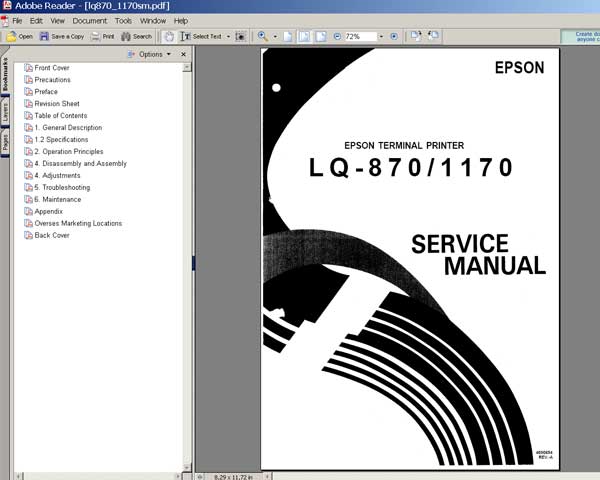
Epson LQ-870, LQ-1170 Printers
Service Manual

$8.99
Epson LQ-870, LQ-1170 Printers<br> Service Manual
   Click to enlarge
      

This manual describes functions, theory of electrical and mechanical operations, maintenance, and repair of
the Epson LX-870, LQ-1170 printers. The instructions and procedures included herein are intended for the experienced repair
technician, and attention should be given to the precautions on the preceding page.

FORMAT: High resolution PDF document!
Zip archive: 2 910 kB

I want to:

Any questions about this product?

SEND US REQUEST by filling the form below.


Step 1
ADD TO CART
Step 2
CHECKOUT
Select payment method.
Step 3
Confirm the order.


We are in business since 2002 and do our best to give our customers perfect service!

Our customers reviews:

  supri adie 2004-11-23 18:28:32  
  looking for information about manual service and maintenance of lq 1170 dot matrix printer
  sabir ali 2018-05-01 02:18:31  
  The procedure was easy. I used the trial version, and my printer is now working. I will buy the reset key next time. I recommend this fix. Thank you....
  WILSON ALVARADO 2012-11-28 23:44:16  
  EPSON TX133 KEY PARA RESET DE PRINT URGENTE, PARA ASI PODER TRABAJAR Y BRINDAR SERVICIOS A MIS CLIENTES
  JOSEPH MORWA 2018-07-15 02:04:21  
  I made the mistake of upgrading the firmware in my Epson XP-434. That caused my ink cartridges to not be recognized. I found this WIC Reset Utility after after searching for original firmware version. I bought the key and plugged it into the utility, and bingo 10 minutes later I was up and running. Thanks a bunch 2manuals.com!
  Peter Maroudas 2020-06-15 06:24:37  
  My Artisan 837 just tried to hose me with the waste ink pad error. The printer was working just fine then bam. I bit the bullet and bought this utility and it worked GREAT. Reset the ink pad error and all is well. Best $10 I've spent in a LONG time. Epson deliberately tried to end the printer life for NO REASON... cept to sell more printers. Do NOT let them get away with it. I'm sure eventually this thing will start printing poorly and THEN I'll buy another one....but until then Epson can....... etc..etc.
  YuanYuan Wang 2008-01-19 13:27:07  
  Was pulling my hairs out when my R340 displayed the message "parts reaching end of service life, see manual". As I know these printers are not made to be "servicable", and I am not ready to pay another hundred pounds for a new printer, I was devastated. Thanks to this service program, it took away the warning message and I can continue using my R340 with the CISS. Phew!! Please note that you DO need to redirect the waste ink or replace the waste ink pads or you may risk dealing with an over-spilled printer. A wise investment into this program. Thank you.
  Nguyen Tran 2013-12-06 03:53:09  
  I could already make firmware downgrade on my XP-211 Using windows 8.1 update 1 Thanks The printer run again whit the continuos sistem
  Gary Ouellet 2011-12-01 05:23:29  
  Thanks, it worked exactly as the instructions provided. The only matter now is to get a kit for the waste ink. No wonder the ink is so expensive - so much goes to waste. Where can I get a kit to store the wasted ink? Thanks again, Gary
  Nicolas Carrizosa 2009-08-27 18:29:17  
  The Epson Artisan 800FW Adjustment Program works great. Once downloaded it took me less than a minute to reset the printer. This is a very intuitive and easy to use software. I am a happy camper now. Thanks again
Write review



