

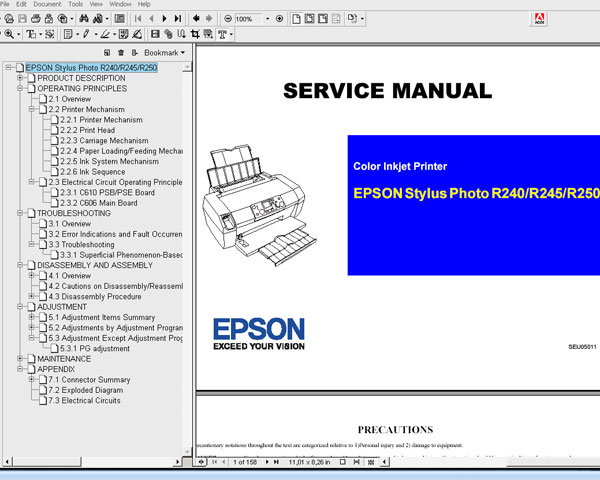
Epson R240, R245, R250 printers Service Manual

$9.99
Epson R240, R245, R250 printers Service Manual
   Click to enlarge
      

This Epson R240, R245, R250 Service Manual describes basic functions, theory of electrical and mechanical operations, maintenance and repair procedures of the printer.


FORMAT: High resolution PDF document!
Zip archive: 7 457 kB

I want to:

Any questions about this product?

SEND US REQUEST by filling the form below.


Step 1
ADD TO CART
Step 2
CHECKOUT
Select payment method.
Step 3
Confirm the order.


We are in business since 2002 and do our best to give our customers perfect service!

Our customers reviews:

  K A R Wright 2010-07-28 20:57:29  
  Have to confess I was a bit dubious about spending the money and whether it would be worthwhile, but am pleasantly surprised. Where others charge almost as much for a couple of single pages of info of little use, your manual is the complete one and indeed well worth the cost. Hoping it's going to enable my printer support guy to fully fix the problem with mine and save me having to shell out a LOT more to get another printer. Thanks.
  MUSTAPHA YASSINE 2025-11-26 16:43:17  
  the printer l382 is very best quality and i need to reset the priter
  Ramin Ram 2014-05-27 21:42:06  
  Hi I have epson 9800. I need to adjustment program or resister counter for it. Ramin
  Miroslaw Nocon 2023-08-23 16:46:26  
  Dziękuję Bardzo. Wszsytko działa. PRzestali zarabiac na cardridżach to wymyślili drogą wymianę pampersa w serwisie. Dopóki miałem ubuntu nie musiałem niczego resetować, nawet wymieniaćpampersa i jakoś nic się nie przepełniło... Przeszedłem na sterowniki Epsona bo zainstalowałem Windows11 to pojawił się problem, czyli widać że to ewidentnie naciąganie klienta. Producent oszust, ale na szczęście są uczciwi i dobrzy hakerzy - brzmi dziwnie, ale taka jest prawda. Brawo dla 2manuals.com. Mam Epson L3060 Eco Tank.
  Rainer Kleber 2021-10-26 23:25:03  
  Just want to say thank you for a most helpful product which does exactly what it says. Followed all instructions, replaced waste ink pads and we have a working printer again. For very little outlay. Congratulations on running an excellent business. Have a good day, Rainer Kleber
  Ruth Mason 2006-09-19 06:57:12  
  It worked fine. It was just that we didn't know where to start with opening the program. I couldn't get it to install so there was an icon that took us into the whole program. I found out that if I clicked on the one icon it opened the one we needed. The service manual will be of great help for later when the ink absorption pad needs changing. Thanks for your prompt attention. Regards, Ruth
  Edward Gilbert 2018-11-19 15:59:47  
  Double thanks John, I now have a working printer. It was so quick and easy I thought it hadn't done anything, then I tried it... Best regards, Richard
  Mark Wainwright 2022-11-15 18:03:40  
  Very impressed! After a fruitless search for official Epson support for the Waste Ink error I found a YouTube video showing how to remove and clean the ink pads but still needed to reset the counter. After some initial "Is this unofficial 3rd Party Solution a scam?" trepidation I took a chance on the WIC reset tool and now, about half an hour (mainly spent drinking tea and waiting for the key to be emailed) and 6 quid later I have a fully functioning XP-342. In the meantime, Epson UK responded to a message I sent them on Twitter, telling me that I could send the printer away to their service centre for an unspecified period of time and pay them £48 to have the ink pads changed and the counter reset. All with a caveat that having "tampered" with the ink pads myself, the service centre might refuse to fix the printer. Thanks for a great piece of kit which has saved me a lot of time, effort and money.
  dinesh kumar 2011-01-20 15:01:18  
  Went to town and bought a cable. Printer status is now restored. Thank you. I\'m not the most computer tech person which added to the confusion. I do suspect there maybe a few others like myself that you could lessen some confussion by including a note that says \"if your printer is connected by wifi it will be necessary to use a USB cable during the hack\". Thank you again for the program. It made me both mad and sick to think that after so little use of this printer that I was going to have to throw it out. Gratefully yours, Dinesh Kumar
Write review



