Licence for 1 PC for Epson L1110, L3100, L3101, L3110, L3111, L3116, L3150, L3151, L3156, L5190 Adjustment Program V 1.0.2 (EURO)
This Epson L1110, L3100, L3101, L3110, L3111, L3116, L3150, L3151, L3156, L5190 adjustment program can be used under Windows XP, 7, 8, 10 with USB connection only. Download here. Password - 12345
How to buy unlimited version for One PC:
1. Log In to Your 2Manuals account
2. Download HardWare ID Utility HWID.exe, run it and copy yours PC Hardware ID
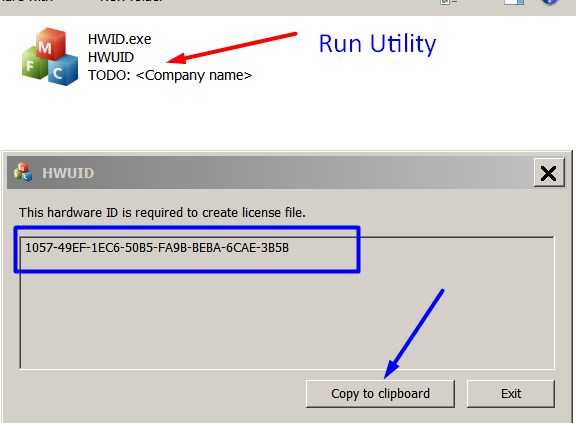
Note! You have to disable antivirus or put HWID.exe file to ignore list!
3. Put this item (License for One PC) in to your Shopping cart
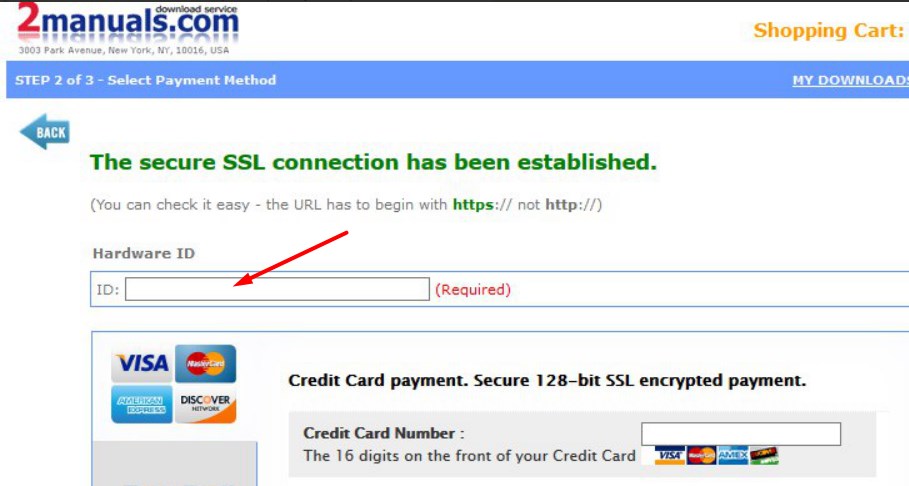
4. Go to payment page and enter HardWare ID in to specified field:
5. Make payment and You will get download link with Epson L1110, L3100, L3101, L3110, L3111, L3116, L3150, L3151, L3156, L5190 Adjustment Program with the License file included
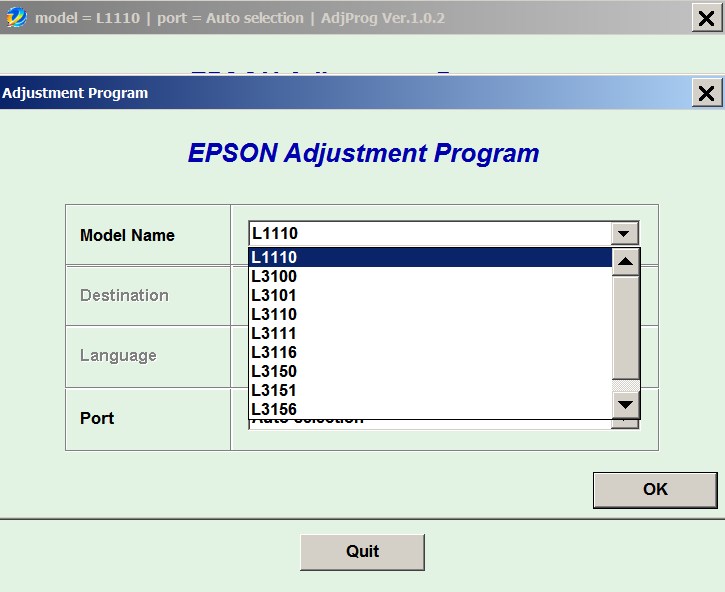
6. Put Adjustment Program to Antivirus Ignore list or disable Antivirus. Then Run AdjProg.exe.
With this Epson Adjustment Program You can make adjustment procedures, Initial Ink Charge to clean and unclog printhead and Waste Ink Pad Counter Reset unlimited times.
To get this adjustment program you need to do the following:
- Purchase the utility from 2manuals.com.
- You'll be able to download program immediately after your payment transaction is complete.
before using the adjustment utility.
Please contact us if you have not received your order.
I purchased the adjustment program last night and got to work on it today.
I had a clog in C and it would not clear. I ve had my printer for over 2 years and have been able to handle them until now.
I learned about this site from another site that has cleaner for the L1110 and said I need to buy this software first. I bought it and tried it with the epson ink that was in my printer. I ran the adjustment and it cleared C but then there were other clogs. Because they werent clogged before I started, I cleared them the normal way through the printers options. Had they not cleared, I would have ran the adjustment again.
I had tried everything to get C to clear for a week and this program did it in one try!
I would highly recommend this for clearing a stubborn clog. And now it is in my arsenal if I get another one that I cant clear down the road. By athe way, it does not work if your printer is networked. Mine was so I had to move a computer into the room with my printer, directly connect to it and install the drivers. Then it work fine.
If you got a clog that you cant fix, just buy it.
Ivan Tilbury
|
|
|
|
|
Step 1
ADD TO CART |
Step 2
CHECKOUT
Select payment method. |
Step 3
Confirm the order. |
|
|
We are in business since 2002 and do our best to give our customers perfect service!
|
Our customers reviews:
| ramesh eete | 2023-02-10 07:45:41 | | Epson L5190 model is the best printer colour print and black print is good quality - good program! | | | Sabrina Mandelli | 2019-09-20 10:56:10 | | Thank you, thank you...counter resetted...woww...thank you so much!!!!!Sabrina | |  | yoni takie | 2005-02-14 10:20:07 | | Please send me service manuals of NP's IR's and other canon products. | | | Ivan Tilbury | 2015-09-08 06:01:35 | I purchased the epson adjustment program last night and got to work on it today.
I had a clog in C and it would not clear. I ve had my 4900 for over 2 years and have been able to handle them until now.
I learned about this site from another site that has cleaner for the 4900 and said I need to buy this software first. I bought it and tried it with the epson ink that was in my printer. I ran the adjustment and it cleared C but then there were other clogs. Because they werent clogged before I started, I cleared them the normal way through the printers options. Had they not cleared, I would have ran the adjustment again.
I had tried everything to get C to clear for a week and this program did it in one try!
I would highly recommend this for clearing a stubborn clog. And now it is in my arsenal if I get another one that I cant clear down the road. By the way, it does not work if your printer is networked. Mine was so I had to move a computer into the room with my printer, directly connect to it and install the drivers. Then it work fine.
If you got a clog that you cant fix, just buy it. | | | John Torres | 2013-03-27 15:08:06 | | Fantastic and easy!
I did it myself eventhough I don\'t know much about the subject.
Thanks a lot. | | | luiz de puala | 2020-06-04 00:54:21 | | The program worked great. Easy to understand instructions. thanks a lot! | | | irin faranti | 2010-07-13 06:00:31 | | I have just bought an Epson printer TX111, only a month I have used it, the sensor scanner in the main board has broken, please tell me how to repair it bcoz I can\'t use both the printer n the scanner. And show me which one the sensor scanner, I just knew it from the service manual. Thank you for full manual! | | | Nguyen Tran | 2013-12-06 03:53:09 | | I could already make firmware downgrade on my XP-211
Using windows 8.1 update 1
Thanks
The printer run again whit the continuos sistem | | | Ernest Wolniak | 2016-08-17 20:24:52 | | the rester reset epson P600 with at26fb firmware | |
|







 Total customers: 446203
 Customers online: 131








