

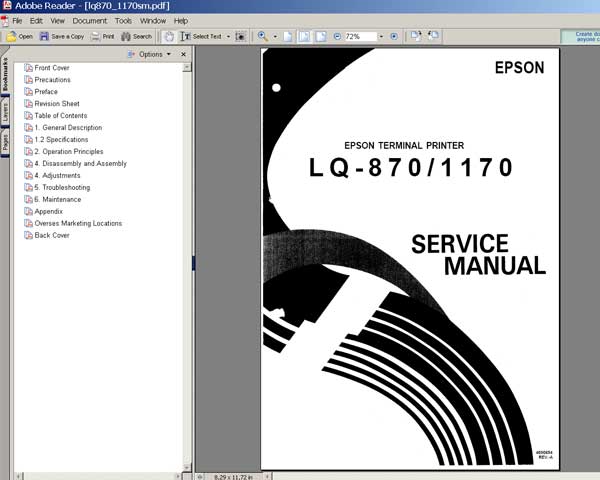
Epson LQ-870, LQ-1170 Printers
Service Manual

$8.99
Epson LQ-870, LQ-1170 Printers<br> Service Manual
   Click to enlarge
      

This manual describes functions, theory of electrical and mechanical operations, maintenance, and repair of
the Epson LX-870, LQ-1170 printers. The instructions and procedures included herein are intended for the experienced repair
technician, and attention should be given to the precautions on the preceding page.

FORMAT: High resolution PDF document!
Zip archive: 2 910 kB

I want to:

Any questions about this product?

SEND US REQUEST by filling the form below.


Step 1
ADD TO CART
Step 2
CHECKOUT
Select payment method.
Step 3
Confirm the order.


We are in business since 2002 and do our best to give our customers perfect service!

Our customers reviews:

  supri adie 2004-11-23 18:28:32  
  looking for information about manual service and maintenance of lq 1170 dot matrix printer
  Andrea Tonni 2010-01-23 21:52:49  
  Thank you!
  bivash basak 2020-03-08 00:17:27  
  Device is not ready to perform this operation. Error Waste ink pad counter overflow error my printer is epson l1455
  JOHN WHITE 2020-01-22 02:49:13  
  I am amazed! The reset worked on our Epson XP-610 wireless printer without a USB cable connecting the computer and the printer right beside it and below the modem. We are grateful. Now I need to send back the USB cable I ordered; it arrived while we were printing Bible study materials being sent from my wife's Surface Pro in the dining room. The Epson is performing like new! Thank you!
  Thomas Thorley 2005-11-30 12:45:29  
  If you've replaced the heads, or removed/re-installed them, you need this! Also does a power nozzle clean - worth the money just for that. Note it needs DOS or a DOS box in Windows.
  adeka maops 2008-10-29 06:25:33  
  help me to epson r250 adjustment program. please!!!!!!
  Peter Eichberg 2011-10-24 01:36:03  
  I just bought the Epson Artisan 800 ink pad resetting software and it did the trick and totally reset the ink pad counter just like advertised. However, I must give anyone who uses the software a piece of advice. The product will not work wirelessly. You MUST connect your printer via the printer's USB connection. The printed material that comes with the download does not mention this. I had to play around with the printer before I realized there had to be a USB connection. Once I figured this out it was a snap to get the printer to reset and the error I was getting has now stopped appearing! I could not be happier with my purchase and I must admit I was a skeptic when I first bought the download. You guys are terrific and I will never fail to but again from 2Manuals.com. Peter
Write review



