

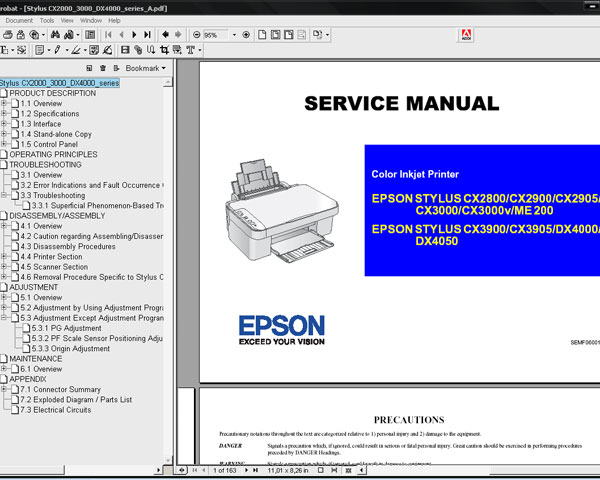
Epson CX2800, CX2900, CX2905, CX3000, CX3000v, ME 200, CX3900, CX3905, DX4000, DX4050, PXA620 printers Service Manual

$9.99
Epson CX2800, CX2900, CX2905, CX3000, CX3000v, ME 200, CX3900, CX3905, DX4000, DX4050, PXA620 printers Service Manual
   Click to enlarge
      

This Epson CX2800, CX2900, CX2905, CX3000, CX3000v, ME 200, CX3900, CX3905, DX4000, DX4050, PXA620 Service Manual and Part List describes basic functions, theory of electrical and mechanical operations, maintenance and repair procedures of the printer.


FORMAT: High resolution PDF document!
Zip archive: 5 580 kB

I want to:

Any questions about this product?

SEND US REQUEST by filling the form below.


Step 1
ADD TO CART
Step 2
CHECKOUT
Select payment method.
Step 3
Confirm the order.


We are in business since 2002 and do our best to give our customers perfect service!

Our customers reviews:

  NAREN NAREN 2009-05-05 19:38:21  
  This is what I need. Thanks.
  Harley Rodrigues 2008-03-22 15:56:40  
  oi tudo bem estou precisando do resete da epson cx5900 cx8300 sei que voces s?o americanos e por isso talvez n?o ir?o entender nada que estou escrevendo mas se por um acaso entenderem por favor me mandei este dois reset
  maikel michel 2007-11-19 05:59:17  
  Thank you!
  Marcio D Santos 2023-01-11 17:46:06  
  Whenever I try to do the ink charge, ink out appears here, so far it hasn't worked for me, could support staff be able to help?

REPLY: To use Ink Charge - ink levels must be more then 50%
  Glenna Quindao 2025-08-26 18:57:51  
  Bought a reset key and it did work well. You just gotta watch and follow carefully their tutorial in YT.
  phum ma 2023-07-27 11:26:39  
  I have order it but it can not work for reset wast ink pad. When release a new it too sad to order with 19.99$ with nothing can do.

====REPLY====
This printer model has separate Waste Ink Maintenance Box with its own IC chip.
You can replace Waste Ink Maintenance Box or reset the chip on the Waste Ink Maintenance Box.

This information is clearly stated in program description at our site.
  Morris Gven 2015-02-27 14:36:17  
  Thanks for your advice. I had the printer Epson Pro 4900 attached to the network. Once I used the USB connection everything worked great. There were 2 ink channels that I could not clean. After poking around the internet I found discussion of air in the lines. Did an initial charge and now things are working perfectly. Thanks for a great product and tech support. Regards, Morris Gven
  ayyas khan 2020-12-12 00:13:38  
  Many thanks. Your reset application allowed me to reset my Epson XP-830 to let me get a few more prints while I wait for my new printer to arrive. Great!!!
  Robin Pruett 2023-07-13 20:54:29  
  I was skeptical, like I'm sure we all are when buying something new online, but I simply turned off my Epson Monitor, under maintenance tab, bought the key, turned off my printer, then turned it back and and IT WORKED! Well worth $10.00, just so I don't have to buy another printer.
  patrizia rota 2010-12-01 17:10:22  
  I bought today the RESET KEY and I used it. My printer resuscitated immediately. Wonderful! I saved money and time! thanks, thanks. Patrizia
  irin faranti 2010-07-13 06:00:31  
  I have just bought an Epson printer TX111, only a month I have used it, the sensor scanner in the main board has broken, please tell me how to repair it bcoz I can\'t use both the printer n the scanner. And show me which one the sensor scanner, I just knew it from the service manual. Thank you for full manual!
Write review
Shopping Cart more
Shopping Cart is empty


How to pay?
We accept
Credit Cards, PayPal
and Western Union payments


We accept M-Pesa
Pay By M-Pesa
How to Pay by M-Pesa


Buy here or find Resellers in your country:

Argentina

Pay in Argentina Peso

Algeria

EasyPrint-dz.com

Australia

Mir-Aus.com.au

Bangladesh

Pay in Bangladesh by BDT

Brasil

Pay in Brasilian Reals
ReseteadoresWIC
Brasil

Burundi

PrintersAfrica.com

China

Pay in Chineese Yuan

Cote D Ivoire

MonpcImprime.com

Columbia

Pay in Columbian Peso
ReseteadoresWIC

Dominicana

Rellenadodecartuchos.com

DR Congo

Buy in DR Congo

Ecuador

ReseteadoresWIC

Ethiopia

PrintersAfrica.com

France

InkCissPrinter

Ghana

Pay in Ghana Cedis

Germany

InkCissPrinter.com

Japan

Pay in Japaneese Yen

Iran

MahaShop.ir
FixPrinters.ir

Iraq

AlmohandsWorkshop

Indonezia

Pay in Indonesian Rupiahs
FastPrint.co.id

Italia

Inkspeed.it
Stampacontinua.it

Kenya

PrintersAfrica.com
MagiColors.biz

New Zealand

Mir-Aus.com.au

Philippines

Pay in Philippine Peso

Poland

Tusze.info
Progbit.pl
ResetPampersa.pl
ResetWIC.pl

Portugal

Printsemfim.com
InkCissPrinter.com

Romania

CissMarket.ro
Cartuseria.ro
AmDigital.ro

Rwanda

PrintersAfrica.com
Ciss-Solutions.com

Saudi Arabia

Alelm-Alamal.com

Soomaaliya

PrintersAfrica.com

South Sudan

PrintersAfrica.com

Spain

InkCissPrintert.com

Tanzania

PrintersAfrica.com

Turkiye

Cescesor.com

Uganda

PrintersAfrica.com

Vietnam

WIC.vn
ResetKey.net
Want to sell Reset Keys in Your country?
Notifications more
NotificationsNotify me of updates to Epson CX2800, CX2900, CX2905, CX3000, CX3000v, ME 200, CX3900, CX3905, DX4000, DX4050, PXA620 printers Service Manual



