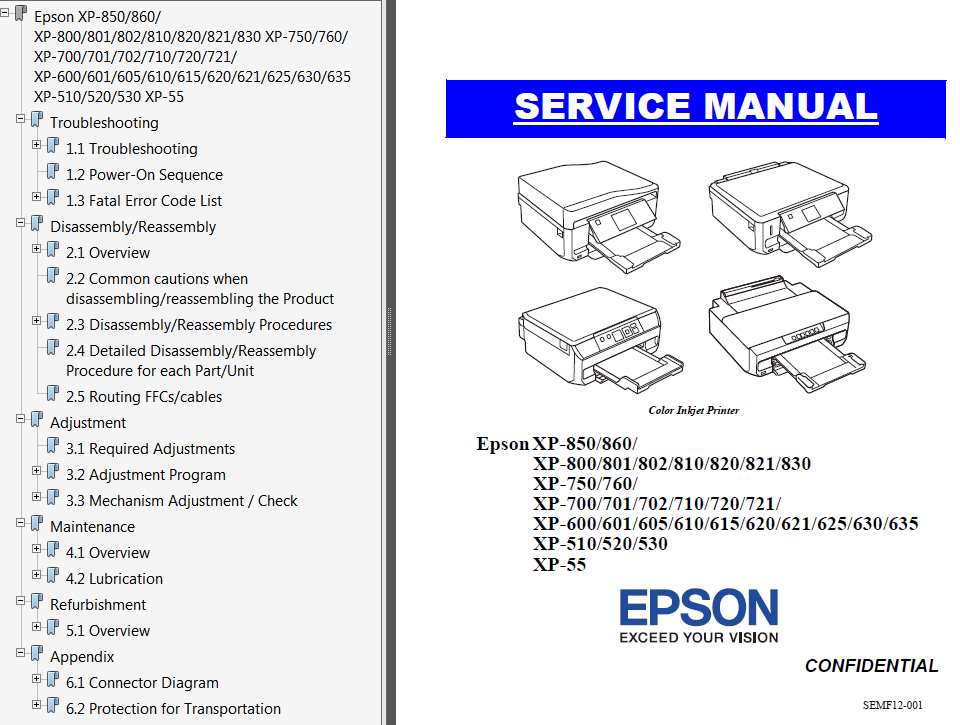
Epson XP-55, XP510, XP-520, XP-530, XP-600, XP-605, XP-610, XP-615, XP-620, XP-625, XP-630, XP-635, XP-640, XP-645, XP700, XP702, XP710, XP-720, XP-721, XP750, XP-760, XP800, XP801, XP802, XP810, XP-820/821, XP-830, XP850, XP-860 printers Servi

$19.99
Epson <b>XP-55, XP510, XP-520, XP-530, XP-600, XP-605, XP-610, XP-615, XP-620,  XP-625,  XP-630, XP-635, XP-640, XP-645, XP700, XP702, XP710, XP-720, XP-721, XP750, XP-760, XP800, XP801, XP802, XP810, XP-820/821, XP-830, XP850, XP-860 </b> printers Servi
   Click to enlarge
      

This Epson XP-55, XP-510, XP-520, XP-600, XP-601, XP-605, XP-610, XP-615, XP-620, XP-621, XP-625, XP-640, XP645, XP-700, XP-701, XP-702, XP-710, XP-720, XP-721, XP-750, XP-760, XP-800, XP-801, XP-802, XP-810, XP-820, XP-821, XP-850, XP-860 Service Manual describes basic functions, theory of electrical and mechanical operations, maintenance and repair procedures of the printer.


About This Manual
This manual, consists of the following chapters, is intended for repair service personnel and includes information necessary for properly performing maintenance and servicing the product.

CHAPTER 1. TROUBLESHOOTING
Describes the step-by-step procedures for the troubleshooting.

CHAPTER 2. DISASSEMBLY / REASSEMBLY
Describes the disassembly/reassembly procedures for main parts/units of the product, and provides the standard operation time for servicing the product.

CHAPTER 3. ADJUSTMENT
Describes the required adjustments for servicing the product.

CHAPTER 4. MAINTENANCE
Describes maintenance items and procedures for servicing the product.

CHAPTER 5. REFURBISHMENT
Describes refurbishing work of the product and its purpose.

CHAPTER 6. APPENDIX
Provides the following additional information for reference:
� Connector Diagram
� Protection for transportation

FORMAT: High resolution PDF document!
Zip archive: 68 425 kB

Order and download On-Line!

This printer models XP-55, XP510, XP-520, XP-530, XP600, XP601, XP605, XP610, XP615, XP-620, XP-621, XP-625, XP-630, XP-635, XP700, XP701, XP702, XP710, XP-720, XP-721, XP750, XP-760, XP800, XP801, XP802, XP810, XP-820/821, XP-830, XP850, XP-860 are supported by WIC reset utility and can be reset the waste ink pad counter by WIC Reset Utility.

I want to:

Any questions about this product?

SEND US REQUEST by filling the form below.


Step 1
ADD TO CART
Step 2
CHECKOUT
Select payment method.
Step 3
Confirm the order.


We are in business since 2002 and do our best to give our customers perfect service!

Our customers reviews:

  Terry Brooks 2023-02-17 17:37:44  
  The WIC Utility worked like a charm for our Epson XP-830! Nice to not have to replace the entire printer. It's running again with no problem. Thanks so much for offering this service. WELL WORTH THE $10! Nice to find lil treasures like this that works in favor of the consumer!
  stuart erskine 2011-11-27 20:15:57  
  hey prestow !!!!!!!! I have tried for months now.... How to reset my epson px700 i have downloaded free tools and more.... Before i had to drive for 25 min then pay double what i payed on here then drive back and could only do this on a saturday as at work all week and the shop shut sundays .. Like most people i am always jubious about paying for things like this over the net as there is that many scamers out there.....well i can honestly say this is not a scam within 3min of buying the code i was up and running again thank a million guys keep up the cracking work
  Lothar Hennig 2012-01-08 15:51:25  
  Hat alles super geklappt und sogar ohne große Englisch Kenntnisse. Bin begeistert immer wieder.
  Craig Phillips 2015-06-06 12:14:21  
  its great it saves a lot of money to be spent in vain i tried from various service centres, but nobody guided me properly by using ur software and reset key, it takes hardly 5 minutes to complete all the procedure thanks a lot
  EDERLYN MCGUIGAN 2020-06-06 04:21:19  
  thank you so much my printer is now resetting very thank you so much....
  Cheng Lin Wu 2017-04-20 04:14:15  
  Thank You so much I was in tears, right in the middle of a project the printer died. You saved me
  Rudisi riccardo 2020-08-29 17:26:03  
  Thank you so much. Its so easy and fast to reset. It works so well
Write review
Shopping Cart more
Shopping Cart is empty


How to pay?
We accept
Credit Cards, PayPal
and Western Union payments


We accept M-Pesa
Pay By M-Pesa
How to Pay by M-Pesa


Buy here or find Resellers in your country:

Argentina

Pay in Argentina Peso

Algeria

EasyPrint-dz.com

Australia

Mir-Aus.com.au

Bangladesh

Pay in Bangladesh by BDT

Brasil

Pay in Brasilian Reals
ReseteadoresWIC
Brasil

Burundi

PrintersAfrica.com

China

Pay in Chineese Yuan

Cote D Ivoire

MonpcImprime.com

Columbia

Pay in Columbian Peso
ReseteadoresWIC

Dominicana

Rellenadodecartuchos.com

DR Congo

Buy in DR Congo

Ecuador

ReseteadoresWIC

Ethiopia

PrintersAfrica.com

France

InkCissPrinter

Ghana

Pay in Ghana Cedis

Germany

InkCissPrinter.com

Japan

Pay in Japaneese Yen

Iran

MahaShop.ir
FixPrinters.ir

Iraq

AlmohandsWorkshop

Indonezia

Pay in Indonesian Rupiahs
FastPrint.co.id

Italia

Inkspeed.it
Stampacontinua.it

Kenya

PrintersAfrica.com
MagiColors.biz

New Zealand

Mir-Aus.com.au

Philippines

Pay in Philippine Peso

Poland

Tusze.info
Progbit.pl
ResetPampersa.pl
ResetWIC.pl

Portugal

Printsemfim.com
InkCissPrinter.com

Romania

CissMarket.ro
Cartuseria.ro
AmDigital.ro

Rwanda

PrintersAfrica.com
Ciss-Solutions.com

Saudi Arabia

Alelm-Alamal.com

Soomaaliya

PrintersAfrica.com

South Sudan

PrintersAfrica.com

Spain

InkCissPrintert.com

Tanzania

PrintersAfrica.com

Turkiye

Cescesor.com

Uganda

PrintersAfrica.com

Vietnam

WIC.vn
ResetKey.net
Want to sell Reset Keys in Your country?
Notifications more
NotificationsNotify me of updates to Epson XP-55, XP510, XP-520, XP-530, XP-600, XP-605, XP-610, XP-615, XP-620, XP-625, XP-630, XP-635, XP-640, XP-645, XP700, XP702, XP710, XP-720, XP-721, XP750, XP-760, XP800, XP801, XP802, XP810, XP-820/821, XP-830, XP850, XP-860 printers Servi