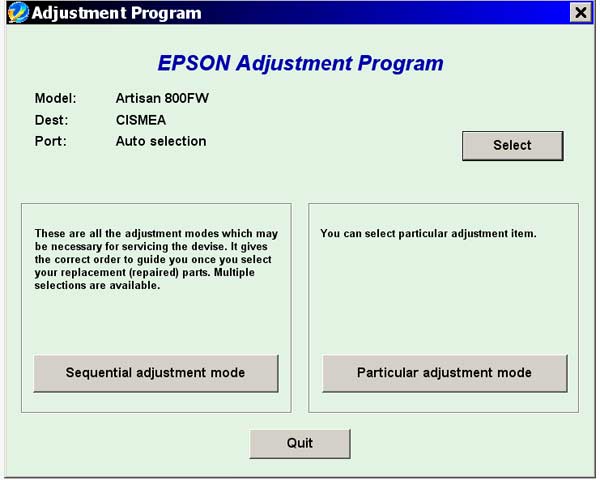
Epson Artisan 800FW Service Adjustment Program

$9.99
Epson <b>Artisan 800FW</b> Service Adjustment Program
   Click to enlarge
      

This adjustment program is developed for making printers adjustments.

This adjustment program DOESN'T HAVE Waste Ink Counters Reset function, EEPROM copy/restore function and Initial setting function.


If You need Waste Ink Counters reset - please use the WIC Reset Utility - Download here

The Epson Adjustment Program for Epson Artisan 800 can be used under Windows only (Millenium, 2000, XP, Vista, 7, 8, 10 [in compatibility mode]).

>

To get this adjustment program, for the Epson Artisan 800 you need to do the following:

  1. Purchase the utility from 2manuals.com.
  2. You'll get download link on-line and in the email message.

We recommend reading the Epson Artisan 800 Service Manual before using the adjustment utility.

Please contact us if you have not received your order.

You can run this program under Windows XP, Windows Vista, Windows 7 in compatibility mode. It is easy!

Lets get to know how to set it up.

To configure the compatibility mode for an application, just locate the installation directory and right click on the .exe file (program you want to run), selecting Properties from the menu.

Select the Compatibility tab:


Windows 7 compatibility mode


You can choose to run the program in Windows XP compatibility mode.

FOR THIS PROGRAM please use the WINDOWS XP compatibility mode!!!


Download the program and run in compatibility mode!

I want to:

Any questions about this product?

SEND US REQUEST by filling the form below.


Step 1
ADD TO CART
Step 2
CHECKOUT
Select payment method.
Step 3
Confirm the order.


We are in business since 2002 and do our best to give our customers perfect service!

Our customers reviews:

  Nicolas Carrizosa 2009-08-27 18:29:17  
  The Epson Artisan 800FW Adjustment Program works great. Once downloaded it took me less than a minute to reset the printer. This is a very intuitive and easy to use software. I am a happy camper now. Thanks again
  Peter Sam 2009-08-11 11:18:28  
  Thank you so much for prompt reply. The program I received from you works fine. I have resetted 4 printers already! that is what I need. Peter.
  urie el 2007-08-28 00:02:52  
  me parese un muy buen servicio kalos pero es mejor que lopongan mas facil para asi poder bajarlo mas rapido nose si sirva
  Sabrina Mandelli 2019-09-20 10:56:10  
  Thank you, thank you...counter resetted...woww...thank you so much!!!!!Sabrina
  mohammed kateeb 2006-01-02 01:34:43  
  hi.........i want to thank u for ur website coz it has vry easy to download the file as will as directly download shortly ...gooooooooood luk
  made budiarta 2011-10-26 20:43:09  
  thanks for the program RESET KEYs for the WIC - Waste Ink Counter reset utility. my printer work now.
  Bonnie Richard 2025-04-20 10:32:28  
  Thank you so much. Purchased key followed instructions for reset everything working fine except cannot get ink flowing. Have used cleaner twice, nozzel clean, purge, still not working. Any suggestions? ET-2760
  Galina Pas 2024-01-29 10:49:21  
  Изключително съм доволна, за една минута се възстанови всичко. Много благодаря !
  Kirsty Harrison 2024-02-17 20:14:25  
  I had a ink reset error even after changing the ink storage, this was so quick and easy to reset! thanks a lot :)
  Michael Murphy 2025-01-16 12:42:26  
  I have an XP960 and its the best print I have ever had . . . . .I recently replaced the inkpads (like today) as i received the warning. . . .All of a sudden I get the End of Life drama. I needed the printer urgent. . . .I went to another company an waste $40.00AU only yo fing their software couldnt find the printer. . .(panic Button time) So I did a search and found you guys. . . . . It was so easy. . . .It took all of 10mins and the old girl is runnin again. I do have a brand new XP970 sitting in a box in the room but while this one is going, I wont touch it Thanks guys I appreciate you so much Michael (Australia)
Write review