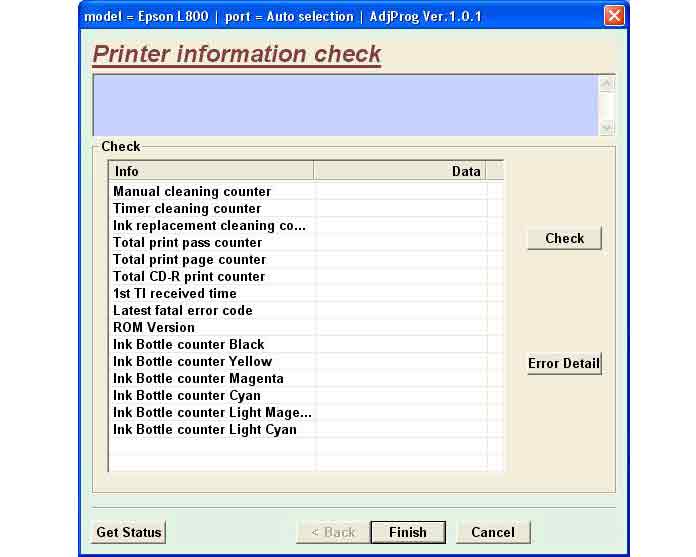
Epson L800 Service Adjustment Program

$9.99
Epson <b>L800</b> Service Adjustment Program
   Click to enlarge
      

The Epson Adjustment Program for Epson L800 , V1.0.1 can be used under Windows only (Millenium, 2000, XP, Vista [in compatibility mode]).

To find out how to use this utility to reset the waste ink counter we recommend reading the:
5 Clicks Reset Procedure

To get this adjustment program, for the Epson L800 you need to do the following:

  1. Purchase the utility from 2manuals.com.
  2. You'll get download link on-line and in the email message.

We recommend reading the Epson L800 Service Manual before using the adjustment utility.

Please contact us if you have not received your order.

You can run this program under Windows XP, Windows 7 . It is easy!

Lets get to know how to set it up.

I want to:

Any questions about this product?

SEND US REQUEST by filling the form below.


Step 1
ADD TO CART
Step 2
CHECKOUT
Select payment method.
Step 3
Confirm the order.


We are in business since 2002 and do our best to give our customers perfect service!

Our customers reviews:

  SM SD 2013-02-22 01:33:04  
  lo necesito el resetiardor de la espson l800 service adjustmento program lo necestio el resiador
  John Phillip Dandal 2019-08-20 03:47:03  
  Easy to use, but quite the rip off. Why can't it just be a free utility?
  lzy lzy 2008-07-23 09:00:34  
  Hey, you improved the response time for being able to download!! I got it downloaded on the page after order confirmation - Good Job! Thank you!!
  Daniel Plaquin 2025-12-28 16:36:56  
  Ce logiciel a le mérite de fonctionner en WiFi. On n'a donc pas besoin du câble USB. Pour 8.54 € (9.99 $) j'ai facilement réinitialiser les compteurs de mon Epson XP-610 qui était bloquée. This software has the advantage of working over Wi-Fi, so you don't need a USB cable. For €8.54 ($9.99), I easily reset the counters on my Epson XP-610, which had frozen.
  TING YU Chuang 2013-04-24 17:34:51  
  Absolutely brilliant product so easy and done with the press of a button will defetnetly be using again ! Thanks ! Printer model: Epson r265
   2013-09-11 01:45:10  
  Ok I used your reset system ,after trying the Epson one, YOURS WORKED IMMEDIATELY WOW WHAT A TIME SAVER, THANKS FRED BENCIVENGA ASLI VIDEO PRODUCTION LONG ISLAND , NY. USA
  Mary-Ann Prinsloo 2022-07-19 12:17:16  
  Good day. I have to clean my printer head EVERY hour. Then it prints fine. Until I leave it for an hour. So this leads to waste pad full and I have to purchase a key every time. Is there another way to go around this problem please? I cannot afford to buy a key every week.

=======Reply ========
You have to make 2 things
- clean parking station first - then inks will not dry on printhead;
- use high quality inks.
Write review