

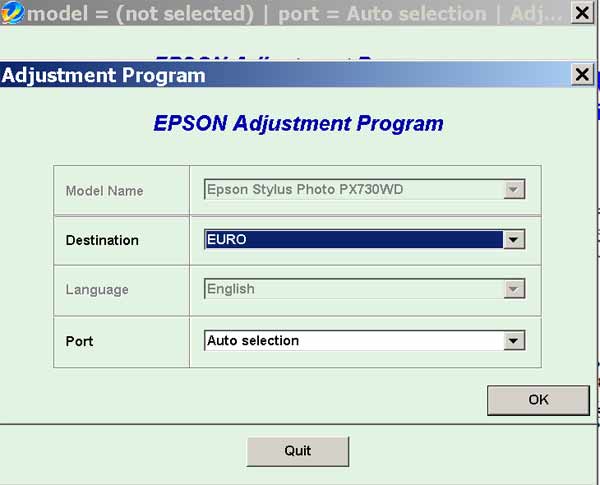
Epson PX730 Service Adjustment Program full

$9.99
Epson <b>PX730</b> Service Adjustment Program full
   Click to enlarge
      

The Epson Adjustment Program for Epson PX730WD (Euro, Cismea)

I want to:

Any questions about this product?

SEND US REQUEST by filling the form below.


Step 1
ADD TO CART
Step 2
CHECKOUT
Select payment method.
Step 3
Confirm the order.


We are in business since 2002 and do our best to give our customers perfect service!

Our customers reviews:

  CASATI MARCO 2020-04-28 10:28:44  
  good morning Sirs, Before to purchase the service Adjustment program full I would like to know if it is suitable for Epson Printer Stylus Photo PX730WD model C432A and if, in this porgram, is there the decompressing managing for print head?
  Giles Haig 2025-03-31 23:53:18  
  I love this service. Have purchased a WIC reset key maybe 10 times in last 7 years. Has always worked very well and saved ny printer each time. Happy UK customer.
  David Millachip 2019-10-13 22:41:01  
  Awesome, thank you! Used this for my Epson WF-2630 printer.
  Ernest Wolniak 2016-08-17 20:24:52  
  the rester reset epson P600 with at26fb firmware
  Philip George 2011-05-05 02:15:19  
  Worked like a champ on my Epson Artisan 700. . Thanks!
  Børge Tobiassen 2010-12-19 00:53:23  
  Hello, my printer PX700W is back in business after downloading the reset key for about 10 dollars. Greetings from Borge in Norway :-)
  elsie valle 2011-07-17 16:35:23  
  thanks so much found what i had to do finally worked great again a big thanks now have to figure out why my printer won't accept the continous ink that i was using hhmmm1! but a big thank to this great web sight very helpful
  vijayanand swami 2009-11-07 16:44:04  
  i have epson 4880c/ the masses display service req 000110033
  Georgia Dippel 2016-12-07 21:59:08  
  My Epson R260 quit working- read up online what the cause was (counters in printer). I downloaded the WIC Utility package and sure enough the counter was at 100.70%. I downloaded the Reset Key- at first it didn't work. Turned the printer off & on as instructed. Still didn't work. Finally I turned the monitoring on- reset the printer. Then turned monitoring off again and reset the printer & it finally worked. I think the monitoring just got hung up somehow- computers!!! I'm very thankful I'm good for another few years. It only cost $9.99 instead of the price of buying another printer (and I have all these ink cartridges that would go to waste)- OR a repair bill & would be without it while being fixed. Would I buy another Epson printer- NO- but would I recommend 2manuals for the fix- Definitely.
Write review



