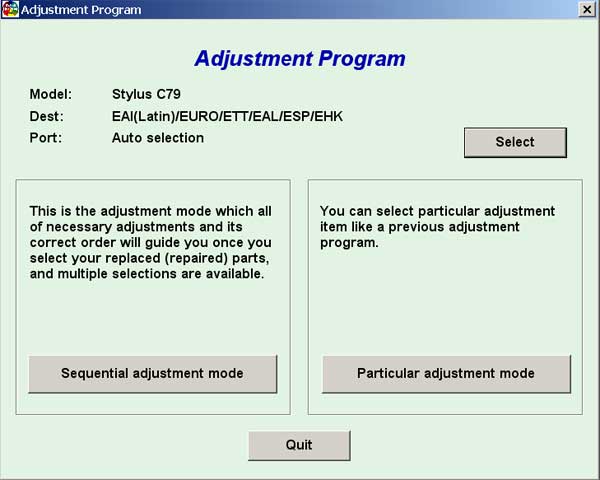
Epson C79 Service Adjustment Program

$9.99
Epson C79 Service Adjustment Program
   Click to enlarge
      

EPSON Stylus C79 Service Adjustment Program.

Under Windows XP only.

To learn more about service program functions go to About Adjustment Programs (in the right column)

Please unzip by WinZip after downloading. Then READ carefuly README file with instructions.

File size - 1 479 kB

You can run this program under Windows XP, Windows Vista, Windows 7 in compatibility mode. It is easy!

Lets get to know how to set it up.

To configure the compatibility mode for an application, just locate the installation directory and right click on the .exe file (program you want to run), selecting Properties from the menu.

Select the Compatibility tab:


Windows 7 compatibility mode


You can choose to run the program in Windows 95, Windows 98 or Windows XP compatibility mode.

FOR THIS PROGRAM please use the WINDOWS XP compatibility mode!!!


Download the program and run in compatibility mode!

I want to:

Any questions about this product?

SEND US REQUEST by filling the form below.


Step 1
ADD TO CART
Step 2
CHECKOUT
Select payment method.
Step 3
Confirm the order.


We are in business since 2002 and do our best to give our customers perfect service!

Our customers reviews:

  nando pires 2010-01-19 00:42:39  
  Thak you. Now working printer.
  nando pires 2010-01-19 00:40:28  
  Good site. Good program!
  eduar faundes 2020-08-22 19:39:55  
  My XP-4100 printer has recognized the old (but new) empty cartridge, I can also refill it with a syringe. This is a good economic solution.
  Russell Veitch 2011-06-26 15:05:23  
  Brilliant reset my epson p50 in a matter of seconds, what more can i say top notch.
  JOHN WHITE 2020-01-22 02:49:13  
  I am amazed! The reset worked on our Epson XP-610 wireless printer without a USB cable connecting the computer and the printer right beside it and below the modem. We are grateful. Now I need to send back the USB cable I ordered; it arrived while we were printing Bible study materials being sent from my wife's Surface Pro in the dining room. The Epson is performing like new! Thank you!
  Jeff Carbone 2019-05-01 09:36:34  
  I love printing hard copies of material to review. I bought an Epson EcoTank 2650 for the single purpose of never having to worry about how much I have to print.

When I found out about the ink pad and how it basically “fills up” and prevents you from printing, I was pretty pissed off.

I called a service center in my state in the US and they wanted $110 to replace the ink pad and reset it. I searched hard for a solution and when I found this I was really sure this was a scam.

I tried it from one of your affiliates (octoinkjets) and did the trial to reset it to 90% and it worked.

Thank god you guys have this tool. I bought a key for $10 and was done with it. Watched a video on how to clean the ink pads and it was super easy. Now I have a new printer basically.

I can’t believe Epson gets away with this crap. You guys rock!
It really took a leap of faith to try this.
  haekal cakep 2005-07-13 01:49:24  
  i never try, but i wwanna ask about canon bjc-1000 eeprom adjustment program. if i buy that produk may i get this software
Write review