

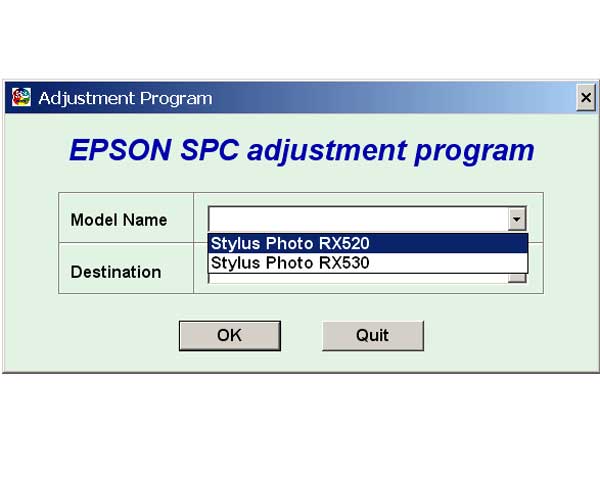
Epson RX520, RX530 Service Adjustment Program

$9.99
Epson RX520, RX530 Service Adjustment Program
   Click to enlarge
      

EPSON Stylus Photo RX520, RX530 Service Adjustment Program.

Under Windows XP only.

To learn more about service program functions go to About Adjustment Programs (in the right column)

Please unzip by WinZip after downloading. Then READ carefuly README file with instructions.

File size - 5 323 kB

I want to:

Any questions about this product?

SEND US REQUEST by filling the form below.


Step 1
ADD TO CART
Step 2
CHECKOUT
Select payment method.
Step 3
Confirm the order.


We are in business since 2002 and do our best to give our customers perfect service!

Our customers reviews:

  Marcoz Paz 2009-01-12 23:13:49  
  Excelent!! ............................................................................................
  Jakov Frumin 2009-01-05 22:37:02  
  ok
  Jakov Frumin 2009-01-04 19:55:12  
  I purchased the R1400 service manual from 2manuals with no problems... Paid for download. $14.00 US
  Park Chan Yong 2007-11-16 06:30:19  
  yes!
  JOSEPH MORWA 2018-07-15 02:04:21  
  I made the mistake of upgrading the firmware in my Epson XP-434. That caused my ink cartridges to not be recognized. I found this WIC Reset Utility after after searching for original firmware version. I bought the key and plugged it into the utility, and bingo 10 minutes later I was up and running. Thanks a bunch 2manuals.com!
  NORWIN SENORON 2019-08-26 20:04:05  
  reset ok on epson dx7400. super :-), pay ok with paypal
  Frank Topping 2011-02-24 20:39:33  
  I'm not going to lie I was very dubious, but the proof is in the pudding it does work and I'm a happy bunny. My printer is the Epson Photo PX810FW one of the newer models so feel confident in using this system.
  John Safranek 2010-03-29 19:19:29  
  Does NOT contain ANY instructions for replacing the waste ink pad cartridges!!!
  Jean Carivenc 2015-05-08 15:46:00  
  I did not use the printer Epson Pro 4900 for a long time and even after 5 or 6 powerful manual cleanings for all inks the paper was staying completely white !! I did the Ink Charge and cleaning process described in the soft and after that the machine is working 100% fine In France there is no way to get this software except if you work for Epson !!!
Write review



