Epson ET-1810, ET-2400, ET-2800, ET-2810, ET-2820, ET-4800, L1210, L1250, L3200, L3210, L3250, L3260, L5290 Series printers Service Manual New!

$19.99
Epson <b> ET-1810, ET-2400, ET-2800, ET-2810, ET-2820, ET-4800, L1210, L1250, L3200, L3210, L3250, L3260, L5290 Series</b> printers Service Manual  <font color=orange>New!</font>
   Click to enlarge
      

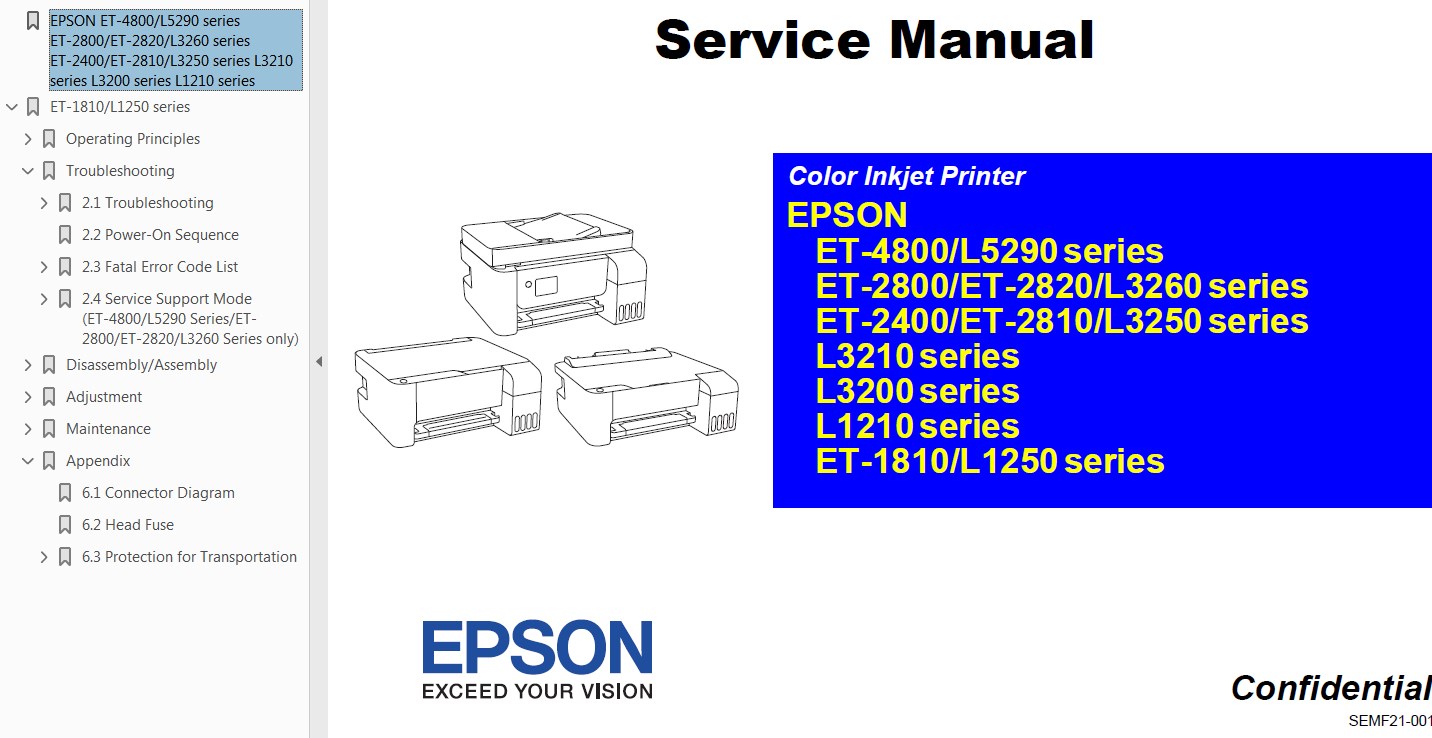
This Epson ET-1810, ET-2400, ET-2800, ET-2810, ET-2820, ET-4800, L1210, L1250, L3200, L3210, L3250, L3260, L5290 Series Service Manual describes basic functions, theory of electrical and mechanical operations, maintenance and repair procedures of the printer.


About This Manual
This manual, consists of the following chapters, is intended for repair service personnel and includes information necessary for properly performing maintenance and servicing the product.

This manual, consists of the following chapters, is intended for repair service personnel and includes information necessary for properly performing maintenance and servicing the product.

CHAPTER 1. OPERATING PRINCIPLES
CHAPTER 2. TROUBLESHOOTING
CHAPTER 3. DISASSEMBLY/ASSEMBLY
CHAPTER 4. ADJUSTMENT
CHAPTER 5. MAINTENANCE
APPENDIX

Provides the following additional information for reference:
- Connection Diagram
- Head Fuse
- Protection for Transportation

FORMAT: High resolution PDF document - 166 pages
Zip archive: 60 703 kB

Order and download On-Line!

Any questions about this product?

SEND US REQUEST by filling the form below.


Step 1
ADD TO CART
Step 2
CHECKOUT
Select payment method.
Step 3
Confirm the order.


We are in business since 2002 and do our best to give our customers perfect service!

Our customers reviews:

  Cabdisamad Cismaan 2024-12-10 15:42:14  
  waa wax aad u wanaagan aadna u fudud inaa heysatid like this page oo kuu fufudeynaaya adeega aad u baahanthy
  Alvin Brown 2020-10-26 01:45:31  
  Absolutely fantastic. I got the error message and removed the ink pads ans washed them, don't think I got all the ink out though! Then I used this program as a 'trial' and it worked wonderfully, Printing all OK again and I thought I would need to buy a new printer. When it happens again, I will purchase new pads and a reset key - has to be cheaper than a visit to a repair shop or a new printer. Thank you so much
  Georgia Dippel 2016-12-07 21:59:08  
  My Epson R260 quit working- read up online what the cause was (counters in printer). I downloaded the WIC Utility package and sure enough the counter was at 100.70%. I downloaded the Reset Key- at first it didn't work. Turned the printer off & on as instructed. Still didn't work. Finally I turned the monitoring on- reset the printer. Then turned monitoring off again and reset the printer & it finally worked. I think the monitoring just got hung up somehow- computers!!! I'm very thankful I'm good for another few years. It only cost $9.99 instead of the price of buying another printer (and I have all these ink cartridges that would go to waste)- OR a repair bill & would be without it while being fixed. Would I buy another Epson printer- NO- but would I recommend 2manuals for the fix- Definitely.
  Andrea Tonni 2010-01-23 21:52:49  
  Thank you!
  Ross Dell 2010-10-19 06:15:32  
  Was very sceptical about the whole process - but one word sums it up - "BRILLIANT" No hesitation in recommending the WIC reset utility process.
  Fernando Fernando 2008-03-08 09:09:51  
  waiting waiting waiting waiting
  AL POD 2016-05-10 19:18:48  
  gracias me salvaron la vida para los que no se han dado cuenta cuando nos pide la clave y es nuestra primera vez pongan la palabra \"trial\" sin comillas y eso soluciona por lo menos por un tiempo
  katsumi honda 2019-01-31 22:22:01  
  Used the WIC utility to reset the waste inked counter (after cleaning the pads). Worked perfect! Printer is an Epson XP-710
  Stewart Hulls 2009-10-24 13:33:34  
  I have just downloaded the adjustment program for epson tx800fw it took 2 minutes to reset the printer and it is back up and running. You guys are the best Thank you.
Write review
Shopping Cart more
Shopping Cart is empty


How to pay?
We accept
Credit Cards, PayPal
and Western Union payments


We accept M-Pesa
Pay By M-Pesa
How to Pay by M-Pesa


Buy here or find Resellers in your country:

Argentina

Pay in Argentina Peso

Algeria

EasyPrint-dz.com

Australia

Mir-Aus.com.au

Bangladesh

Pay in Bangladesh by BDT

Brasil

Pay in Brasilian Reals
ReseteadoresWIC
Brasil

Burundi

PrintersAfrica.com

China

Pay in Chineese Yuan

Cote D Ivoire

MonpcImprime.com

Columbia

Pay in Columbian Peso
ReseteadoresWIC

Dominicana

Rellenadodecartuchos.com

DR Congo

Buy in DR Congo

Ecuador

ReseteadoresWIC

Ethiopia

PrintersAfrica.com

France

InkCissPrinter

Ghana

Pay in Ghana Cedis

Germany

InkCissPrinter.com

Japan

Pay in Japaneese Yen

Iran

MahaShop.ir
FixPrinters.ir

Iraq

AlmohandsWorkshop

Indonezia

Pay in Indonesian Rupiahs
FastPrint.co.id

Italia

Inkspeed.it
Stampacontinua.it

Kenya

PrintersAfrica.com
MagiColors.biz

New Zealand

Mir-Aus.com.au

Philippines

Pay in Philippine Peso

Poland

Tusze.info
Progbit.pl
ResetPampersa.pl
ResetWIC.pl

Portugal

Printsemfim.com
InkCissPrinter.com

Romania

CissMarket.ro
Cartuseria.ro
AmDigital.ro

Rwanda

PrintersAfrica.com
Ciss-Solutions.com

Saudi Arabia

Alelm-Alamal.com

Soomaaliya

PrintersAfrica.com

South Sudan

PrintersAfrica.com

Spain

InkCissPrintert.com

Tanzania

PrintersAfrica.com

Turkiye

Cescesor.com

Uganda

PrintersAfrica.com

Vietnam

WIC.vn
ResetKey.net
Want to sell Reset Keys in Your country?
Notifications more
NotificationsNotify me of updates to Epson ET-1810, ET-2400, ET-2800, ET-2810, ET-2820, ET-4800, L1210, L1250, L3200, L3210, L3250, L3260, L5290 Series printers Service Manual New!