

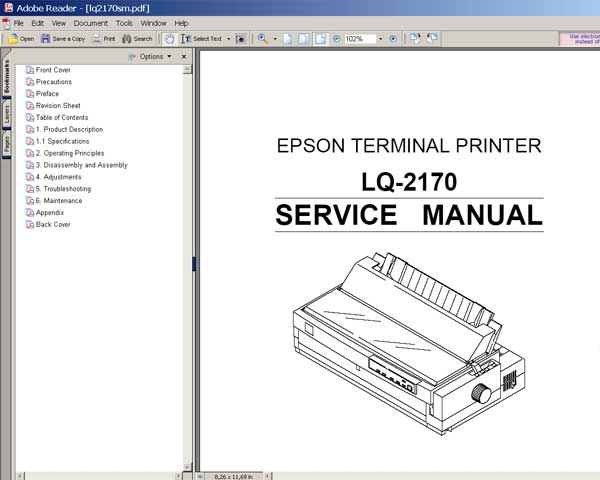
Epson LQ-2170 Printer
Service Manual

$8.99
Epson LQ-2170 Printer <br>Service Manual
   Click to enlarge
      

This manual describes functions, theory of electrical and mechanical operations, maintenance, and repair of
the Epson LQ-2170. The instructions and procedures included herein are intended for the experienced repair
technician, and attention should be given to the precautions on the preceding page.

FORMAT: High resolution PDF document!
Zip archive: 4 339 kB

I want to:

Any questions about this product?

SEND US REQUEST by filling the form below.


Step 1
ADD TO CART
Step 2
CHECKOUT
Select payment method.
Step 3
Confirm the order.


We are in business since 2002 and do our best to give our customers perfect service!

Our customers reviews:

  Kenneth Maclean 2005-01-09 05:13:16  
  In the past I have bought a number of programs from you and have been very happy with your service Kenny
  Leon Potgieter 2004-06-18 10:42:40  
  Paid for Epson Stylus Color 900 service program and afterwards tried to download program from link. Link would only download a HTML file, and not an executable. Left a message from 2manuals to assist me. This is too damn difficult. Why can the link not just download the executable? ============= Just checked - it works fine. Maybe there were server problem at that moment. You have been sent direct link. John.
  Darshana Abeyrathna 2004-01-30 04:47:57  
  dqetdet dthdfhytu nghasgdfg erytyjghtr tuhfry 45ygfhghhj hj889u7 ghgbvjghk gfygkhjzsdfer dterfhxdfgtrygf dftygfhgfhgf rtygfhdf
  tom tannenberger 2003-12-13 07:25:09  
  I figured it out. I ended up purchasing the LJ 1100 manual. I just used a different email address and it worked fine. Btw, the service manual helped me out tremendously! It paid for itself easily. I will definitely be using your service manuals again in the future. Thanks,
  barend gerritsen 2005-02-05 09:51:04  
  good! Barend
  Victoria Parvanova 2024-07-20 14:43:05  
  I saved the printer of my boyfriend a few years ago with the trial key and he was so happy that he gifted it to me. Now I decided to give the same printer one more chance and it worked again, saving me 300 euro for the price of 14 within 5 minutes. I also changed the pads by the way did not just reset the software and I recomend you to do that as well. Super easy to use and worth the money! Last but not least a really sustainable solution, allowing us to use a device which otherwise would be throuwn away.
  george prionidis 2009-02-11 00:00:35  
  thank you for fast respond I will recommend you to all my friends in Iran and Emirate UAE You are the best and god be with you!
  Dee Witherspoon 2023-12-04 16:05:20  
  Having changed the ink pads in my Epson XP-342 I didn't expect to get an error message telling me I had to have a service by Epson! Found this site highly recommended for resetting this message so went on and downloaded the WIC Reset Key and sure enough my printer reloaded and I was able to use my printer again as I desperately needed to print some paperwork out. Thank you 2manuals.com. Excellent service.
  Devid Moretton 2015-01-25 19:50:30  
  I found the problem, why the reset diidnt work. it was in depending of the epson status monitor. I was going to the task manager and stopped the status monitor. The problem was \\\"The printer statut manager\\\" After stopping status monitor, the reset was work probably. Thanks
  SWD SWD 2011-10-26 01:51:03  
  good good good
  Tim Nichols 2012-08-11 05:20:43  
  I was leery about paying the $9.99 for a key. After speaking to Epson "Specialist" and being told "Your machine must have issues beyond repair, but we can sell you a new one for $190" I decided to go ahead and try this software. A++ I would recommend this to anyone wishing self repair an epson printer. I have a RX595 , I use a CCS and when I received the waste pad error I was heartbroken. I love this printer. I tried bypassing waste pad but still got the error. This software is well worth the $$ Thank you
Write review



