

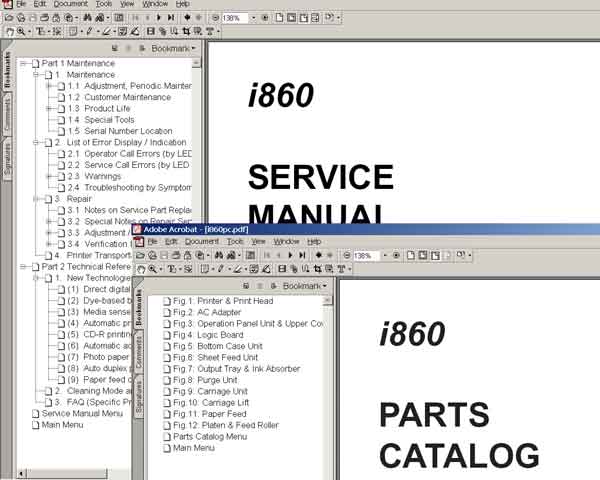
CANON i860, i865 printers
Service Manual and Parts Catalog

$8.99
CANON i860, i865 printers<br> Service Manual and Parts Catalog
   Click to enlarge
      

i860, i865 printer Service Manual and Parts Catalog

FORMAT: High resolution PDF document!
ZIP archive: 870 kB

I want to:

Any questions about this product?

SEND US REQUEST by filling the form below.


Step 1
ADD TO CART
Step 2
CHECKOUT
Select payment method.
Step 3
Confirm the order.


We are in business since 2002 and do our best to give our customers perfect service!

Our customers reviews:

  Bruce Nicholson 2007-06-03 06:28:43  
  Really terrific service and rescue manual and a very helpful and approachable team of people. The very small expenditure indeed saved me the price of a new printer.
  algeria16 algeria 2011-07-26 16:04:21  
  I AM FROM ALGERIA I CANT BUY THIS SOFT BECAUSE THERE IS NOT A WAY FOR PAYMENT !!! ------------------------------------------ You can pay by Western Union
  hamacher rainer 2015-09-26 00:51:30  
  Today my Epson printer stopped working. I have the tool they provide to reset the ink pad counter but it simply reports network error after network error trying to connect to the Epson server.
Since its Christmas eve and I need to print some gifts for my kids I was totally hooped until I found you guys. I just want to thank you for doing what Epson was unable to do. They suck, you rock!
Robert
  vera bevan 2009-10-22 22:31:20  
  This is what I need!! thanks!!...
  Mara Pagara 2017-04-10 16:35:12  
  Thank you so much for saving my L1300 printer.. Really saved a lot of money
  igor shlaifman 2018-11-04 00:54:01  
  It works perfect to disable the ink level on EP WF-5190. Thanks.
  Mary-Ann Prinsloo 2022-07-19 12:17:16  
  Good day. I have to clean my printer head EVERY hour. Then it prints fine. Until I leave it for an hour. So this leads to waste pad full and I have to purchase a key every time. Is there another way to go around this problem please? I cannot afford to buy a key every week.

=======Reply ========
You have to make 2 things
- clean parking station first - then inks will not dry on printhead;
- use high quality inks.
  Piotr Nalepa 2019-07-26 19:00:00  
  I am not very IT literate, This is very quick and easy solution.
Write review



