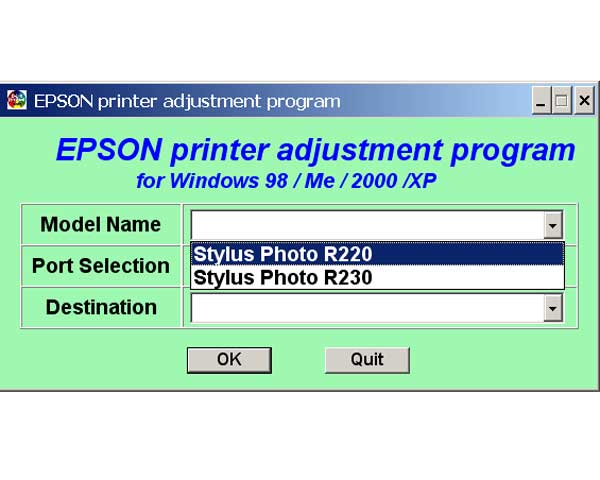
Epson R220, R230 Printers Service Adjustment Program

$9.99
Epson R220, R230 Printers Service Adjustment Program
   Click to enlarge
      

The Epson Adjustment Program for Epson R220 can be used under Windows only (Millenium, 2000, XP, Vista [in compatibility mode]).

To find out how to use this utility to reset the waste ink counter we recommend reading the:
5 Clicks Reset Procedure

To get this adjustment program, for the Epson R220 you need to do the following:

  1. Purchase the utility from 2manuals.com.
  2. You'll get download link on-line and in the email message.

We recommend reading the Epson R220 Service Manual before using the adjustment utility.

Please contact us if you have not received your order.

You can run this program under Windows XP, Windows Vista, Windows 7 in compatibility mode. It is easy!

Lets get to know how to set it up.

To configure the compatibility mode for an application, just locate the installation directory and right click on the .exe file (program you want to run), selecting Properties from the menu.

Select the Compatibility tab:


Windows 7 compatibility mode


You can choose to run the program in Windows XP compatibility mode.

FOR THIS PROGRAM please use the WINDOWS XP compatibility mode!!!


Download the program and run in compatibility mode!

I want to:

Any questions about this product?

SEND US REQUEST by filling the form below.


Step 1
ADD TO CART
Step 2
CHECKOUT
Select payment method.
Step 3
Confirm the order.


We are in business since 2002 and do our best to give our customers perfect service!

Our customers reviews:

  armando ro 2007-05-18 22:04:53  
  please service adjustment program for r220 the epson
  Jack Wilson 2007-04-21 23:00:22  
  JUST A NOTE TO THANKYOU FOR A BRILLIANT WEBSITE SERVICE Had an Epson R220, locked Within three minutes of buying the adjustment software for R220, printer was rejuvenated and lept into life doin handstands!!! Excellent-well done!!! SRS
  Liz Hunter 2022-07-12 09:02:03  
  Thank you so much. You have helped me twice now. Once 2 yrs ago and just today, with the reset key to get my printer going again and I am so happy as I love my printer and it works perfectly and doesn't need to go to landfill. I have emptied the waste ink pads twice now, washed and dried so they will be the next thing I replace soon.
  made budiarta 2011-10-26 20:43:09  
  thanks for the program RESET KEYs for the WIC - Waste Ink Counter reset utility. my printer work now.
  NACHO GOMEZ 2010-10-25 23:44:48  
  I got the flashing lights and Service required message on my Epson R2400, as many others have before!
I spent hours online and eventually managed to download Epsons own Adjustment Program. It showed me the waste ink settings but would not let me reset the counter, although I had disconnected the feed tubes and re-routed them to an external bottle.
Today I found 2Manuals.com and downloaded their WIC reset program. I thought It probably won\'t work but one key is only $9.99 so what the heck!
Well that was the best $9.99 I have ever spent - as soon as I entered the key and hit RESET the printer whirred into action, ink pumped into my waste bottle and I am back in action!

This has saved me a lot of money and the hassle of sending the printer to an Epson service centre. Truly a 5***** product! Chris Porteous, Prestatyn, U.K.
  Spike Grimme 2020-07-23 12:47:07  
  Oh my golly, I didn't think that would work, but it fixed it in about 30 seconds. Even though I hadn't been able to disable the process monitor thing that it says do first, the reset program still worked instantly when I ran it on an Epson XP-540. If there is one thing that gets my goat in terms of being so unethical both a rip-off financially and environmentally unsustainable, its the way printer companies rip us off. So am super grateful to have found a way round this. For a much more reasonable price than the printer shop told us, and something I could do at home when I needed the printer urgently for work! Thanks so much!
  mehdi bahrami 2010-11-01 12:27:32  
  Thak you for prompt service. This manual is just what I need.
  Abel Guerrero 2020-04-26 15:45:55  
  Thank you so much. After days, weeks of search online (and lots of non working trials), I finally found your website and your reset did work. Fab!
Write review