

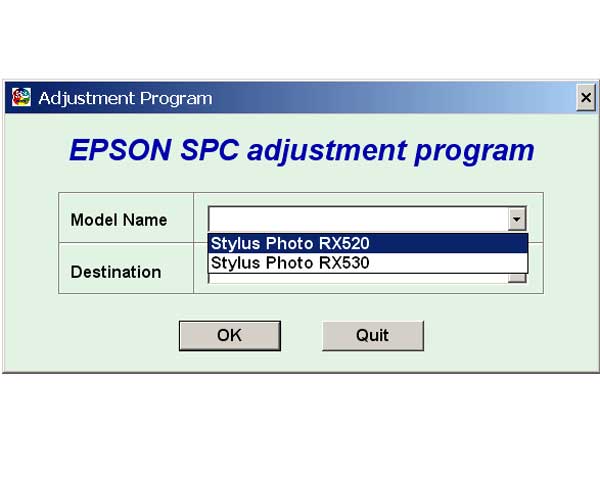
Epson RX520, RX530 Service Adjustment Program

$9.99
Epson RX520, RX530 Service Adjustment Program
   Click to enlarge
      

EPSON Stylus Photo RX520, RX530 Service Adjustment Program.

Under Windows XP only.

To learn more about service program functions go to About Adjustment Programs (in the right column)

Please unzip by WinZip after downloading. Then READ carefuly README file with instructions.

File size - 5 323 kB

I want to:

Any questions about this product?

SEND US REQUEST by filling the form below.


Step 1
ADD TO CART
Step 2
CHECKOUT
Select payment method.
Step 3
Confirm the order.


We are in business since 2002 and do our best to give our customers perfect service!

Our customers reviews:

  Marcoz Paz 2009-01-12 23:13:49  
  Excelent!! ............................................................................................
  Jakov Frumin 2009-01-05 22:37:02  
  ok
  Jakov Frumin 2009-01-04 19:55:12  
  I purchased the R1400 service manual from 2manuals with no problems... Paid for download. $14.00 US
  Park Chan Yong 2007-11-16 06:30:19  
  yes!
  YuanYuan Wang 2008-01-19 13:27:07  
  Was pulling my hairs out when my R340 displayed the message "parts reaching end of service life, see manual". As I know these printers are not made to be "servicable", and I am not ready to pay another hundred pounds for a new printer, I was devastated. Thanks to this service program, it took away the warning message and I can continue using my R340 with the CISS. Phew!! Please note that you DO need to redirect the waste ink or replace the waste ink pads or you may risk dealing with an over-spilled printer. A wise investment into this program. Thank you.
  Grzegorz Jaskiewicz 2021-01-22 02:53:39  
  The free trial worked. We will see how long it lasts. Thank you for the help.
  Jens Klapp 2012-03-01 20:37:01  
  PX800FW resetting worked fine. thankyou Jens Klapp
  Sara Carmona 2020-03-25 16:28:17  
  My printer Epson has encountered problem with ink pad waste and use wic tools and it works with the simplest step by step instructions. thank you.Trusted and recommended
  Monica Lascano 2020-07-27 17:34:24  
  thank you guys, its been very helpfull. thank again... :)
  Mara Pagara 2017-04-10 16:35:12  
  Thank you so much for saving my L1300 printer.. Really saved a lot of money
  alla melouk 2010-09-17 06:59:02  
  Thank you for WIC Reset Utility it worked 3 times with no problem I have Epson Artisan 810 and Epson D78
Write review



