

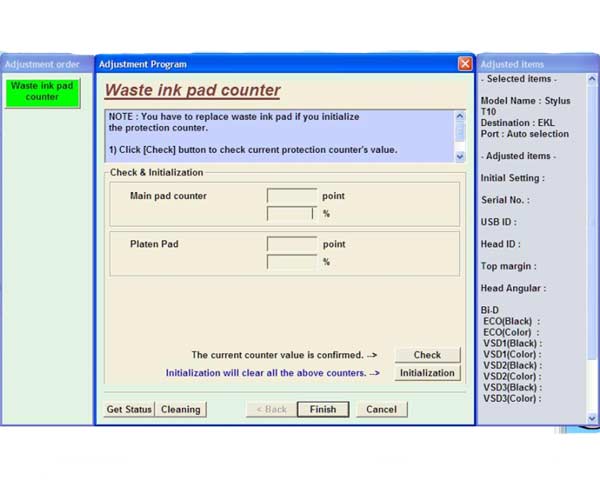
EPSON T10 Service Program

$9.96
EPSON <b>T10</b> Service Program
   Click to enlarge
      

The Epson Adjustment Program for T10, T11 can be used under Windows only.

To learn more about service program functions go to About Adjustment Programs (in the right column)

To use this program the best way you have to read Service Manual first.

After we accept your payment, you'll get download link on-line and in the email message too!

I want to:

Any questions about this product?

SEND US REQUEST by filling the form below.


Step 1
ADD TO CART
Step 2
CHECKOUT
Select payment method.
Step 3
Confirm the order.


We are in business since 2002 and do our best to give our customers perfect service!

Our customers reviews:

  mg htoo htoo 2009-10-16 19:26:21  
  I want to download free for light flashing error for EPSON T11 ======================================== Read step by step instructions about how to get Reset Utility here - 2manuals.com /download/1.htm
  Peter Sam 2009-08-11 10:29:23  
  YES YOU ARE A GENIOUS THANKS A LOT! THE PROGRAM IS WORKING NOW!
  DIOGENES CABANA 2012-05-18 05:56:50  
  perfecto, un servicio muy bueno desde colombia "Gracias"
  Gaudencio Valdez 2019-10-01 22:00:35  
  I bougth this latest version of service tools, v5105, I try it at canon mx 495, not working, the printer was in service mode, can you give some tips, maybe not recognized the usb, windows 7 my os, I need some help. Thanks.

REPLY: Please replace USB cable by new one
  nando pires 2010-01-19 00:42:39  
  Thak you. Now working printer.
  SAUL ACOSTA 2010-09-26 01:51:12  
  That was very simply to use. I saved my printer life in 5 minutes. Thank you!
  Mervyn Scott 2025-07-24 01:57:20  
  Instruction videos very helpful, reset key worked great. Thanks.
  Deepak nepal 2015-02-19 16:16:22  
  I just downloaded and tried your WIC Reset Utility. Since I am running Windows 8.1 I was afraid that it might not work too well. I was WRONG!! Happily it works GREAT on Windows 8.1! I\\\'m a happy camper!! Just thought I should let you know!! Best regards, Deepak
Write review



